If you are feeling that your computer is running very slowly, you may want to try defragmenting your hard drive. If that does not resolve your problem, you may want to increase the computer's memory eg: from 4GB to 8GB or 16GB (only available for Quadcore CPUs. Please check the availability on the CPU manufacturer's website). The increase of memory or RAM (Random Access Memory) will append up temporary storage while the computer is switched on.
If that does not resolve the overall performance of your computer, you might need to change your graphics card (note: graphics card on a laptop is virtually non-replaceable unless it runs on Nvidia's MXM series).
Your next move should be looking at the performance of your computer's hard drive. This is truly important because the hard drive will store all of your data even if the computer is shut off so you need a fast and reliable hard drive without breaking your bank account to do so.
These days hard drive usually comes with either a solid state drive or a mechanical drive. If your computer comes with a mechanical drive, it will allow you to look at the rotation per minute ie: rpm. The theory is that the faster the platte inside the hard drive spins will ensure that data will be accessed much quicker. Usually you will see a typical desktop hard drive ie: 3.5" 7200rpm loaded with 32MB cache and a laptop hard drive may spin at 4200rpm loaded with 8MB cache.
However, one may find a better hard drive installed on their computer which will be great! These mechanical hard drives have one or two problems. Irate of all, they are noisy when the platte in the hard drive spins. If you have a hard drive which spins faster, it may create more noise in the end. With a fast spinning hard drive, it may cause the hard drive to produce more heat. This will be quite uncomfortable particularly if one is using a laptop on his/her lap.
There is an alternative to the mechanical drive which is solid state drive. There are many advantages in using a solid state drive as opposed to the disadvantages. First of all, all solid state drives use flash memory (just think of your USB flash drives) so it is really quiet. Apart from that, it does not produce as much heat as a mechanical hard drive because it does not have any moving parts. The only heat will be emitting will be from the NAND flash chips on the solid state hard drive itself.
Thirdly, it is lighter in weight as compared to a mechanical hard drive. This is quite important if you are thinking of shedding some weight in carrying your laptop around.
Above all, data access speed on the solid state drive is pretty quick. One good example is the 256GB Samsung 830 series solid state drive where the read speed is up to 500MB/s while the write speed is up to 400MB/s! This is much faster than a typical laptop hard drive (5200rpm; 8MB cache) which access data at a speed of 80MB/s in the real world!
However, a user will have to contemplate the disadvantages of buying a solid state drive. It is expensive to buy a solid state drive and it comes with a small capacity unlike the mechanical hard drive. Often than not, many power computer users will buy a solid state drive just to boot into the operating system (OS) while maintaining the mechanical hard drive for storage purposes. This idea prove to be quite popular.
In deciding which solid state drive to purchase, one would have to do some research. Often than not, one would have to read some reviews eg. PCworld, Techno Buffalo, Techradar and so on. Please try not to stick to one review but read as many reviews as you could before making a conclusion.
If you have decided to make a purchase for a specific solid state drive, you would have to do some research in getting the best price possible. One could achieve the purpose by searching online via eNay, Amazon and Bestbuy (In the UK it will be via carphonewarehouse.com).
Apart from that, don't just ignore small and independent online retailers. Personally, CCLonline and Lasky.com seems to be offering some good deals apart from ebuyer.com. The rule of thumb in buying anything online is that you will be protected under the Distance Selling Regulations throughout Europe.
Personally, it is submitted that the Samsung 830 series solid state drive is one of the best solid state drive in the market without breaking one's bank account. If one is interested in purchasing a 128GB version, the cheapest at this time of posting is Amazon UK (£77.99 including postage) while the 256GB version is being sold at £149.97 including postage. Please be aware that if one were to purchase from Amazon UK, the buyer will be entitled for free posting. Best of all, delivery will take place under three working days. I have similar good track record with other sellers which I have mentioned above.
At the end of the day, one should always do some research before making a decision to buy amy solid state drive. Given the price drop and the reliability of Samsung solid state drive as they use their own products to produce the solid state drive, the Samsung 830 series solid state drive is the most affordable in today's term when looking at the price/capacity/reliability/speed issue.
Have fun!
Update I:
Apart from the Samsung 830 series SSD, one could also try PNY SSD series which has similar specifications as the Samsung 830 Series and it cost almost the same too.
Update II (13/02/2013):
You could pick up a 512GB Lite-On SSD from ebay or Amazon for around £220 in the UK. The performance of the Lite-On SSD is comparable to the Samsung 840 Pro without breaking anyone's bank account.
Showing posts with label Hardware/Netbooks. Show all posts
Showing posts with label Hardware/Netbooks. Show all posts
Saturday, 11 August 2012


Monday, 29 August 2011
Asus Eee PC 1011PX
Introduction:
With many manufacturers stepping away from the netbook market, here is one manufacturer who is still making progress with their release of the latest netbook and that company is Asus. Personally, Asus was the pioneer in introducing netbook to the world. They have started with the 7" netbook which ran on the Celeron 900 cpu without L2 cache. It was cheap but performance wise, it was a disaster. Couple with an 8GB SSD at that time, one cannot use the netbook for storing.These days, netbooks are fast dwindling due to the emergence of tablets. However, I do feel that there is always a special place for the netbooks especially with school children. You don't want them to carry expensive laptops which is weighing more than 1.4kg.
Asus is brilliant in revising their latest fashion in the netbook segment. I have the privilege of reviewing the Asus Eee PC 1011PX for that matter. I have chosen this netbook due to the fact that it fits the cost to specification ratio.
Specification of the Asus Eee PC 1011PX:
A run down of the Asus Eee PC 1011PX's specification is as follow:
CPU: Intel Atom N570 (dualcore cpu with each core running at 1.6ghz + Hyperthreading);
Memory: 2GB DDR3 SODIMM;
Graphics: Intel GMA 3150;
Bluetooth: Not present;
Wireless: 802.11b/g/n;
HDD: 320GB;
Screen size: 10.1";
USB ports: 3;
Webcam: 0.3MP.
The unit which I have reviewed came pre-installed with Windows 7 Starter and Asus utilities. I uninstalled some of the unnecessary software and tweaked the computer before benchmarking the machine.
Pros:
Even though I had limited time in testing the unit, I have to applause the effort taken by the Asus team. This is because I did a comparison to the year old Asus 1005P and clearly the 1011PX is far more superior. Gone are those days with only 160GB of Hard disk. With the 1011PX, Asus is generous as it comes with a 320GB of Hard disk space.
Apart from that, it has a brilliant Chiclets keyboard which is properly spaced out so you can type on it with ease. I did not find any problem even after typing on it for more than 40 minutes. It is a vast improvement as compared to the springy keyboard on the earlier Asus Eee PC e.g. the Asus 1005P which I am using at the moment.
Asus has maintained the chasis and the form factor for across their netbook segment ,i.e. Sea Shell form factor. I have nothing against it as it is quite a unique design. The chassis is strong and it comes with an Ethernet port, wireless N and a 3-in-1 memory card reader. I am so surprised that Asus installed an atom N570 which is a recent cpu from Intel on their netbook! The N570 blazed past the Asus 1005P without looking back!
The N570 is a typical low wattage cpu from Intel. It is a dual core cpu and supports hyperthreading! Even though it runs at 4 cores with the help of hyperthreading, it is no match for the more powerful low wattage cpu offerings from Intel e.g. P6100. This is because there is only 32KB L1 cache and 256KB L2 cache for each core. It is a far cry from the more powerful quadcore Core i7 but netbooks are not meant to be powerful anyway.
The beauty with the netbook is to allow someone to use it as a backup machine just in case their main laptop/pc crashed. It is perfect for those people who travel often as the 1011PX would accommodate up to 10 hours of usage with a single charge of the battery under light usage e.g. Microsoft Office Suite and light surfing the internet. I am pretty impressed with the 6 cell battery even though it is rather heavy but it does the job! I managed to run the battery down to 3% with 50% brightness and with wifi disabled in 9 hours as I was mainly using the netbook for Word processing.
I did play some 2D games on it and suffered no jerkiness! Moreover, watching 720p videos on youtube was not a problem too but it could not run 1080p videos. I think that has something to do with the Intel GMA 3150 graphics card which Intel should address. I think Asus should install an Nvidia gpu on it but it will most probably increase the selling price of the netbook so it will be a no-no for Asus.
Cons:
The most annoying thing which I have found on the 1011PX is that it does not include bluetooth although there is an option for the dealer to include bluetooth. I am certain that a separate bluetooth could be installed on the netbook but it is a hassle.
Besides that, I am also not happy with the noise coming from the fan itself. I think Asus should redesign their fans on the netbooks across the whole range. It is quite loud and not ideal to work in a quiet environment. I am also not happy with the paltry 0.3MP webcam! [Come on Asus, surely you could do much better than that!!!]. You also get a mono speaker on the bottom right underneath the netbook.
Last but not least, it took me more than two hours to charge the battery to 100%! That is in itself a slow charge. Well, it is not as bad as charging a typical tablet as it could go up to 3 to 4 hours! Just imagine the time you need to spend charging the batteries!
Conclusion:
I think that the Asus Eee PC 1011PX is a good netbook for those people who are always on the move. It is also a good first pc for amateurs as you could buy one unit from PC World or Currys for £230. It is a bargain! I also like the fact that Asus has created many ventilation portals to keep the netbook cool. A thumbs up for Asus for this netbook!


Thursday, 2 June 2011
2011 Will be an Interesting Year for the Mobile Industry
From my point of view, 2011 will be a year of quadcore firepower on high end mobile devices in the market. As we progress through dualcore cpu + gpu this year, next year will see that most of the high end mobile devices will be better spec.. In doing so, it will definitely speed up on the time of waiting and it will definitely add value to a consumer's experience.
What does it mean for companies? When we are talking big about quadcore cpu + gpu, it would mean that companies would have to release in big quantities of a multicore cpu + gpu to speed on up processing time. Besides that, I could imagine watching 1080p videoes will be easier.
At this very moment, the best dualcore mobile device that we could buy is the Samsung Galaxy S II. I am sure that there will be better mobiel devices out there but this is the best money can buy at the moment. I have read on the internet that the company is going to release the Galaxy S III next year. It might include quadcore cpu + gpu and NFC hardwired onto the mobile device!
While quadcore cpu + gpu is good progress, we must not forget about the software developers. There is no point of having a blazing good hardware but it does not have good software support! One good example will be the OS itself. Android OS is quite advanced in the sense that it is a multicore platform. We need more software developers to utilise the many cores of the mobile device. Otherwise it would be a waste of space!
Apart from that, it is important to have good battery power. What I am trying to point out is that it is important for manufactures to release a mobile device which could at least allow the battery to last for a single day under heavy usage. This would mean having thinner but better capacity battery. I do hope that Nokia will be able to install their famous 1500mAh battery onto each and every high end phones as it will definitely help in reducing the number charging cycles. I was really disappointed with their Nokia N8 as it was only equipped with a 1200mAh battery! It was suppost to last around 400 hours on standby (on 3G) but to me, it only last for around three days!!! Eventually I had to abandon the N8 after the PR 1.2 kept on crashing expecially after taking a few pictures and the need to recharge the phone twice a day under light usage.
I am using a Samsung Galaxy S II at the moment. I do have Skype running at the background all the time 24/7 on 3G and a single charge would last me for at least a day. I do not need to bring my charger along whever I go, so much better than the times where I had the Nokia N8. Without a shadow of a doubt, the N8's camera lens is still superior to many, including the Samsung Galaxy S II. I think Samsung needs to improve on the camera software.
In the end, good luck to them! As for consumers, we will have more choice next year! We will see watching closely with the launch of Windows 8 for tablets next year...
What does it mean for companies? When we are talking big about quadcore cpu + gpu, it would mean that companies would have to release in big quantities of a multicore cpu + gpu to speed on up processing time. Besides that, I could imagine watching 1080p videoes will be easier.
At this very moment, the best dualcore mobile device that we could buy is the Samsung Galaxy S II. I am sure that there will be better mobiel devices out there but this is the best money can buy at the moment. I have read on the internet that the company is going to release the Galaxy S III next year. It might include quadcore cpu + gpu and NFC hardwired onto the mobile device!
While quadcore cpu + gpu is good progress, we must not forget about the software developers. There is no point of having a blazing good hardware but it does not have good software support! One good example will be the OS itself. Android OS is quite advanced in the sense that it is a multicore platform. We need more software developers to utilise the many cores of the mobile device. Otherwise it would be a waste of space!
Apart from that, it is important to have good battery power. What I am trying to point out is that it is important for manufactures to release a mobile device which could at least allow the battery to last for a single day under heavy usage. This would mean having thinner but better capacity battery. I do hope that Nokia will be able to install their famous 1500mAh battery onto each and every high end phones as it will definitely help in reducing the number charging cycles. I was really disappointed with their Nokia N8 as it was only equipped with a 1200mAh battery! It was suppost to last around 400 hours on standby (on 3G) but to me, it only last for around three days!!! Eventually I had to abandon the N8 after the PR 1.2 kept on crashing expecially after taking a few pictures and the need to recharge the phone twice a day under light usage.
I am using a Samsung Galaxy S II at the moment. I do have Skype running at the background all the time 24/7 on 3G and a single charge would last me for at least a day. I do not need to bring my charger along whever I go, so much better than the times where I had the Nokia N8. Without a shadow of a doubt, the N8's camera lens is still superior to many, including the Samsung Galaxy S II. I think Samsung needs to improve on the camera software.
In the end, good luck to them! As for consumers, we will have more choice next year! We will see watching closely with the launch of Windows 8 for tablets next year...
Wednesday, 24 November 2010
Asus Eee PC 1001P
Ever since I had the HP Mini 110-3000sa, I was thinking about the goodness about netbooks. I do understand that although they are cheap, there are many restrictions on a laptop particularly in the raw power - most of the current netbooks are fitted with Atom N450 or N455 cpus and rarely you have any netbooks fitted with the newest Atom N550 or Atom D525.
Recently, I have acquired an Asus Eee PC 1001P and I want to see how good is the Asus branded netbook since they pride themselves with their so called Super Hybrid Engine with up to 12 hours of juice with one singel charge.
Now, before I start reviewing the machine, it is just right to talk about the specification of the netbook. Here I have an Asus Eee PC 1001P (there's a sticker at the back which states that it is a 1001P). However, when I use CPU-Z, it gave me a different model - 1005P! Well, I don't think there is any significant difference between those two models though.
From the very first moment of using the Eee PC, I do feel that the casing itself is very sturdy. I could not find any cracking noise on the netbook at all. It is a pity that the 1001P did not come with a dual core Atom and a dedicated graphics card. It will be perfect by then. However, if that were to happen, it might have shorten the life of the 1001P's battery on a single charge.
Coming back to the Eee PC 1001P, it is powered by an Atom N450 with 1GB of DDR2 memory. I have since upgrade to 2GB and I could feel that there is a bump up on the machine's responses. It is also armed with a 160GB SATA hard drive and the usual 3xusb 2 ports, VGA out, microphone jack, headphone jack, SD/MMC card reader, 10.1" screen and a set of not-so-nice-feeling keyboard. Asus could have installed a chicklet type of keyboard on the 1001P but I guess it will cost them more to do so.
For the price of £200, you do get a 0.3MP front facing camera with internal microphone beside the digital camera and a pair of stereo speakers in front. There is also a Kensington lock for your disposal. At the back sits a 6 cell battery which last me for 12 hours. I did not watch any videos via usb stick but mostly using Microsoft Office applications and surfing the internet including watching some youtube presentation.
If you are thinking of a road warrior, the Asus 1001P might be just the one you need. A single charge will last you for more than 10 hours (in my case, 12 hours) which I ran Windows XP on it throughout the whole process. You do not need to take the charger with you although the charger is just tiny (less than 200g).
As per usual, the Atom N450 proven to be a better chipset than its predecessor (e.g. N270/N280). I could see the difference as I had the opportunity to compare the 1001P with a Samsung NC10 which uses the N270 cpu. Nevertheless, the better GMA 3150 GPU performed much better than the GMA 950 on the Samsung NC10 though. Watching youtube videos on 360p or 480p does not post any problems but do not watch anything above that pixels as you will experience freezing on your 1001P. I think that is why Asus came up with their latest incarnation - the Asus 1215N running on the Nvidia Ion 2 GPU. I have yet to review that netbook but I hope to do so soon.
As I have most of the Asus software removed or disabled, I have left Asus' Super Hybrid Engine (SHE) enabled. It is supposed to help me to conserve the battery depending on the mode of which I am using. I have always left it on the Power Saving mode all the time unless the machine is connected to an external monitor where it will authomatically turn to High Performance Mode instead of Power Saving Mode. You could also choose Super Performance Mode and Auto Performance Mode. The latest software version for the SHE is 1.22. There are higher firmware for the SHE but it is for machines running on Windows 7. According to some research which I have read on the internet, Power Saving Mode will reduce the clockspeed of the 1001P to around 800mhz while under High Performance Mode, it will sustain the 1001P's clockspeed to 1.6Ghz while on Super Performance Mode, it will tend to overclock the machine to 1.7Ghz.
Obviously if you choose to select the Super Performance Mode, you will see that your battery will not be able to last as long as when you select the ' Power Saving Mode'. There is an alternative though. You could select 'Auto Mode' for the best of both worlds. Well, ever since I am on the 'Power Saving Mode' all the time, I would not be bothered with other modes. If I were to change the mode of the SHE, I will select 'High Performance Mode' and bypass 'Auto Mode'.
I am just quite happy with the performance of the battery. In fact, I do think that Asus should release more netbooks with longer running batteries! I think so far the 1000 series is doing fine. The 1200 series could only manage around 8 hours but I think that is sufficient though.
There would be no problem for you to connect your 1001P to an external monitor which I have done before although by doing so the SHE will change the power mode to 'High Performance Mode'. That is odd but nonetheless I found not problems.
Overall, I have no issues with the 1001P netbook. It is quite quiet apart from the fan which is audible when it kicks in to cool the CPU. The only issue I had with the 1001P is the upgrade of the netbook's hard disk. Since you need to dissemble the whole of the back portion of the 1001P, it is not upgrade friendly at all as compared to the HP Mini 110-3000sa which I had before. The only thing which is user friendly is the RAM component where you can upgrade the existing 1GB of DDR2 memory to 2GB DDR2 memory with the removal of a screw at the back. It comes with a 'quick switched on' button above the keyboard on the left hand side but I have not tried it at all. I think using the normal power on button is sufficient for me.
The last question of whether the 1001P is a recommended netbook? I think it is, actually. I like it very much saved for the screen size. It is just ideal for travelling without hanging on to the wall socket all the time.
Update:
24/2/2011 - I have been using it for some time now and I do feel that it should have a bluetooth adaptor. It does not come with a bluetooth adaptor although there is a bluetooth connector. I will be interested to know whether the bluetooth will work if I can acquire a compatible bluetooth adaptor for it. Feeling this, I am tempted to get a Samsung NF210 which has everything - Dual core N550 cpu, bluetooth 3.0, wifi-N (up to 72Mbps by users), 250GB of hard drive and Intel X3150 gpu for £300. Sounds good?
Recently, I have acquired an Asus Eee PC 1001P and I want to see how good is the Asus branded netbook since they pride themselves with their so called Super Hybrid Engine with up to 12 hours of juice with one singel charge.
Now, before I start reviewing the machine, it is just right to talk about the specification of the netbook. Here I have an Asus Eee PC 1001P (there's a sticker at the back which states that it is a 1001P). However, when I use CPU-Z, it gave me a different model - 1005P! Well, I don't think there is any significant difference between those two models though.
From the very first moment of using the Eee PC, I do feel that the casing itself is very sturdy. I could not find any cracking noise on the netbook at all. It is a pity that the 1001P did not come with a dual core Atom and a dedicated graphics card. It will be perfect by then. However, if that were to happen, it might have shorten the life of the 1001P's battery on a single charge.
Coming back to the Eee PC 1001P, it is powered by an Atom N450 with 1GB of DDR2 memory. I have since upgrade to 2GB and I could feel that there is a bump up on the machine's responses. It is also armed with a 160GB SATA hard drive and the usual 3xusb 2 ports, VGA out, microphone jack, headphone jack, SD/MMC card reader, 10.1" screen and a set of not-so-nice-feeling keyboard. Asus could have installed a chicklet type of keyboard on the 1001P but I guess it will cost them more to do so.
For the price of £200, you do get a 0.3MP front facing camera with internal microphone beside the digital camera and a pair of stereo speakers in front. There is also a Kensington lock for your disposal. At the back sits a 6 cell battery which last me for 12 hours. I did not watch any videos via usb stick but mostly using Microsoft Office applications and surfing the internet including watching some youtube presentation.
If you are thinking of a road warrior, the Asus 1001P might be just the one you need. A single charge will last you for more than 10 hours (in my case, 12 hours) which I ran Windows XP on it throughout the whole process. You do not need to take the charger with you although the charger is just tiny (less than 200g).
As per usual, the Atom N450 proven to be a better chipset than its predecessor (e.g. N270/N280). I could see the difference as I had the opportunity to compare the 1001P with a Samsung NC10 which uses the N270 cpu. Nevertheless, the better GMA 3150 GPU performed much better than the GMA 950 on the Samsung NC10 though. Watching youtube videos on 360p or 480p does not post any problems but do not watch anything above that pixels as you will experience freezing on your 1001P. I think that is why Asus came up with their latest incarnation - the Asus 1215N running on the Nvidia Ion 2 GPU. I have yet to review that netbook but I hope to do so soon.
As I have most of the Asus software removed or disabled, I have left Asus' Super Hybrid Engine (SHE) enabled. It is supposed to help me to conserve the battery depending on the mode of which I am using. I have always left it on the Power Saving mode all the time unless the machine is connected to an external monitor where it will authomatically turn to High Performance Mode instead of Power Saving Mode. You could also choose Super Performance Mode and Auto Performance Mode. The latest software version for the SHE is 1.22. There are higher firmware for the SHE but it is for machines running on Windows 7. According to some research which I have read on the internet, Power Saving Mode will reduce the clockspeed of the 1001P to around 800mhz while under High Performance Mode, it will sustain the 1001P's clockspeed to 1.6Ghz while on Super Performance Mode, it will tend to overclock the machine to 1.7Ghz.
Obviously if you choose to select the Super Performance Mode, you will see that your battery will not be able to last as long as when you select the ' Power Saving Mode'. There is an alternative though. You could select 'Auto Mode' for the best of both worlds. Well, ever since I am on the 'Power Saving Mode' all the time, I would not be bothered with other modes. If I were to change the mode of the SHE, I will select 'High Performance Mode' and bypass 'Auto Mode'.
I am just quite happy with the performance of the battery. In fact, I do think that Asus should release more netbooks with longer running batteries! I think so far the 1000 series is doing fine. The 1200 series could only manage around 8 hours but I think that is sufficient though.
There would be no problem for you to connect your 1001P to an external monitor which I have done before although by doing so the SHE will change the power mode to 'High Performance Mode'. That is odd but nonetheless I found not problems.
Overall, I have no issues with the 1001P netbook. It is quite quiet apart from the fan which is audible when it kicks in to cool the CPU. The only issue I had with the 1001P is the upgrade of the netbook's hard disk. Since you need to dissemble the whole of the back portion of the 1001P, it is not upgrade friendly at all as compared to the HP Mini 110-3000sa which I had before. The only thing which is user friendly is the RAM component where you can upgrade the existing 1GB of DDR2 memory to 2GB DDR2 memory with the removal of a screw at the back. It comes with a 'quick switched on' button above the keyboard on the left hand side but I have not tried it at all. I think using the normal power on button is sufficient for me.
The last question of whether the 1001P is a recommended netbook? I think it is, actually. I like it very much saved for the screen size. It is just ideal for travelling without hanging on to the wall socket all the time.
Update:
24/2/2011 - I have been using it for some time now and I do feel that it should have a bluetooth adaptor. It does not come with a bluetooth adaptor although there is a bluetooth connector. I will be interested to know whether the bluetooth will work if I can acquire a compatible bluetooth adaptor for it. Feeling this, I am tempted to get a Samsung NF210 which has everything - Dual core N550 cpu, bluetooth 3.0, wifi-N (up to 72Mbps by users), 250GB of hard drive and Intel X3150 gpu for £300. Sounds good?
Thursday, 4 November 2010
Tablets - End of the Road for Netbooks?
These days, it is impossible to ignore the importance of tablet PCs. Do you know why? Well, it is light to carry and you do not need to remove it when you are going through security checks in the airport! Besides, a tablet PC would usually hold more than a day's juice for anyone to be "connected" while on the go. How nice, isn't it?
Wrong.
If you were to take a look at today's tablet PCs, you would find that more and more companies are getting on the bandwagon to release compatible products (in this case, tablet PCs) which are more compatitive in its functions, not necessary in its price though. You would need to understand that tablet PC was not made popular until Apple released their Apple Ipad recently which caught the world by surprise. In fact, the Ipad concept is not new. If you Google around, you will know that there are numerous products which are similar to the Ipad but it was not made pupular.
The next thing you need to ask yourself is why Apple is so successful in marketing their Ipad? One thing for sure though - they are restrictive in allowing software developers in getting vital information about their Mac OS. Besides that, they are receiving tons of royalties when it comes to high developer fees for selling their apps on the Apple Store. If that is not bad enough, Apple does not share their technologies, not unless it is necessary. The Apple brand itself is a niche and I have to say that the Ipad is a wonderful product but short of the necessary add-ons like front facing camera like the upcoming Samsung Tablet with radio capabilities so that it will allow users to make and receive calls and text messages, just like a normal mobile phone. The question to ask yourself is whether you will be willing to fork out around £699 for a proper tablet PC with radio capabilities? Think about the price of the product when you consider that an average full time staff at a supermarket would only earn around £1400 after deductions in a month.
At this moment, I have nothing to compare the Apple Ipad with except for the HP Mini 110 which I am using at the moment. I can see why people would like to use the Ipad - It is light, 1Ghz cpu power and the apps are backward compatible with most of the Iphone/Ipod apps. Fantastic, don't you think so? It is more like flexibility when it comes to cross platform. Wonderful.
What about the netbooks then? Surely it is much better than a tablet, no?
Netbooks have come a long way. It started off with 7" running on a Celeron cpu. Later on Intel mass produced their first generation Atom cpu - N2xx series, then followed by the N4xx series (N450,N470) and by the N4x5 series (e.g. N455) which features DDR3 memory controller. Presently, Intel is slowly releasing their first generation of dual core Atom for netbooks (e.g. D525). Don't get me wrong as prior to the release of the D5xx series dual core Atom cpus, Asus have managed to release the Asus 1201N which comes with a desktop dual core Atom (D330).
One criticism is that the cpu on the Asus 1201N draws significantly more power than traditional Atom cpus for netbooks. At the time of writing this article, Asus have quietly released their 1215N which feature a dual core Atom (D525) with 2GB DDR3 memory and an integrated Nvidia Ion 2 GPU. What a perfect combination! The damage from getting the Asus 1215N is that it will cost the consumer £400 if you want to buy one for yourself. On the other hand, it has a proper keyboard and you can load quite a lot of things on it (it comes with a 250GB hard drive) but it does not have an optical drive. Basically, it is just like a laptop without a DVD-RW writer. I don't mind not having a DVD-RW writer these days as I do have a laptop with me. It is old but it is still working perfectly on 8GB of system memory.
If you noticed, there are people who question the survival of netbooks. They do say that with the release of more tablets, the era of netbooks will finally come to an end. I think not. Tablets will only play a small role and I don't think I will get myself a tablet because it does not serve any purpose to me unless you are talking about following what people do in the drama series like "NCIS". In the movie, the Apple Ipad is being used extensively.
I have to say that netbooks are still surviving and it will remain strong. I might want to get myself a better netbook next time around. Perhaps it is good to give away my present netbook and take the opportunity to get a dual core netbook like the Asus 1215N!
Wrong.
If you were to take a look at today's tablet PCs, you would find that more and more companies are getting on the bandwagon to release compatible products (in this case, tablet PCs) which are more compatitive in its functions, not necessary in its price though. You would need to understand that tablet PC was not made popular until Apple released their Apple Ipad recently which caught the world by surprise. In fact, the Ipad concept is not new. If you Google around, you will know that there are numerous products which are similar to the Ipad but it was not made pupular.
The next thing you need to ask yourself is why Apple is so successful in marketing their Ipad? One thing for sure though - they are restrictive in allowing software developers in getting vital information about their Mac OS. Besides that, they are receiving tons of royalties when it comes to high developer fees for selling their apps on the Apple Store. If that is not bad enough, Apple does not share their technologies, not unless it is necessary. The Apple brand itself is a niche and I have to say that the Ipad is a wonderful product but short of the necessary add-ons like front facing camera like the upcoming Samsung Tablet with radio capabilities so that it will allow users to make and receive calls and text messages, just like a normal mobile phone. The question to ask yourself is whether you will be willing to fork out around £699 for a proper tablet PC with radio capabilities? Think about the price of the product when you consider that an average full time staff at a supermarket would only earn around £1400 after deductions in a month.
At this moment, I have nothing to compare the Apple Ipad with except for the HP Mini 110 which I am using at the moment. I can see why people would like to use the Ipad - It is light, 1Ghz cpu power and the apps are backward compatible with most of the Iphone/Ipod apps. Fantastic, don't you think so? It is more like flexibility when it comes to cross platform. Wonderful.
What about the netbooks then? Surely it is much better than a tablet, no?
Netbooks have come a long way. It started off with 7" running on a Celeron cpu. Later on Intel mass produced their first generation Atom cpu - N2xx series, then followed by the N4xx series (N450,N470) and by the N4x5 series (e.g. N455) which features DDR3 memory controller. Presently, Intel is slowly releasing their first generation of dual core Atom for netbooks (e.g. D525). Don't get me wrong as prior to the release of the D5xx series dual core Atom cpus, Asus have managed to release the Asus 1201N which comes with a desktop dual core Atom (D330).
One criticism is that the cpu on the Asus 1201N draws significantly more power than traditional Atom cpus for netbooks. At the time of writing this article, Asus have quietly released their 1215N which feature a dual core Atom (D525) with 2GB DDR3 memory and an integrated Nvidia Ion 2 GPU. What a perfect combination! The damage from getting the Asus 1215N is that it will cost the consumer £400 if you want to buy one for yourself. On the other hand, it has a proper keyboard and you can load quite a lot of things on it (it comes with a 250GB hard drive) but it does not have an optical drive. Basically, it is just like a laptop without a DVD-RW writer. I don't mind not having a DVD-RW writer these days as I do have a laptop with me. It is old but it is still working perfectly on 8GB of system memory.
If you noticed, there are people who question the survival of netbooks. They do say that with the release of more tablets, the era of netbooks will finally come to an end. I think not. Tablets will only play a small role and I don't think I will get myself a tablet because it does not serve any purpose to me unless you are talking about following what people do in the drama series like "NCIS". In the movie, the Apple Ipad is being used extensively.
I have to say that netbooks are still surviving and it will remain strong. I might want to get myself a better netbook next time around. Perhaps it is good to give away my present netbook and take the opportunity to get a dual core netbook like the Asus 1215N!
Sunday, 31 October 2010
New Macbook Air
I have step foot into an Apple Store and I have play with the new Macbook Air (both 11.6" and 13.3"). Suffice to say that both of them were really light and quiet, it does not justify to buy any of them.
There are many reasons not to buy them but it is best to start off with why you need to get one of them instead of those netbooks in the market. If you have one of those new Macbook Airs, you are unique. This is due to the fact that not many people are using them for the moment. Secondly, both of them are relatively light as compared to some ULV notebooks in the market. It is quiet in the sense that you would hardly hear the fan noise. Both new Macbook Airs have the same characteristic as an IBM compatible netbook so the question is whether you need one if you already have a laptop and a netbook?
Let's come over to the part where I would show you why you DO NOT need a new Macbook Air. First of all, it is expensive and over the top. Look at the new dual core Atom powered Asus 1215N for instance. It is only priced at £400 and I don't really see many people using it at the moment. You are an unique user if you have one of those Asus 1215N. Bear in mind that the Asus 1215N comes with a 12.1" screen display and would easily beat the 11.6" new MacBook Air.
Apart from the price and screen differences, you are actually doing yourself a favour by NOT buying one of those new MacBook Airs. Why would you settle for a grand when you can get a second hand Macbook Air for much lesser? If you do buy the new MacBook Airs, you are actually buying the brand and would it do you any good? Not really. Look at the specifications of the new Macbook Airs and you will see that it is best for your to get a top notch Intel powered ULV laptop for less and you would still have a dvd-RW write to go along with it. With the MacBook Airs, you get nothing!
Last but not least, it is NOT advisable for you to get the new Macbook Airs because you can't really upgrade the onboard memory by yourself, let alone upgrading the internal hard drive! With netbooks like the HP DV2 and DV3 series, you do get more bang for your money than the MacBook Air.
Question is: Why settle for the most expensive netbook?
Update: The answer would be - With the 11.6" Macbook Air, you do not need to remove your Macbook Air when it goes through the airport scans in the USA. What a joke!!!
There are many reasons not to buy them but it is best to start off with why you need to get one of them instead of those netbooks in the market. If you have one of those new Macbook Airs, you are unique. This is due to the fact that not many people are using them for the moment. Secondly, both of them are relatively light as compared to some ULV notebooks in the market. It is quiet in the sense that you would hardly hear the fan noise. Both new Macbook Airs have the same characteristic as an IBM compatible netbook so the question is whether you need one if you already have a laptop and a netbook?
Let's come over to the part where I would show you why you DO NOT need a new Macbook Air. First of all, it is expensive and over the top. Look at the new dual core Atom powered Asus 1215N for instance. It is only priced at £400 and I don't really see many people using it at the moment. You are an unique user if you have one of those Asus 1215N. Bear in mind that the Asus 1215N comes with a 12.1" screen display and would easily beat the 11.6" new MacBook Air.
Apart from the price and screen differences, you are actually doing yourself a favour by NOT buying one of those new MacBook Airs. Why would you settle for a grand when you can get a second hand Macbook Air for much lesser? If you do buy the new MacBook Airs, you are actually buying the brand and would it do you any good? Not really. Look at the specifications of the new Macbook Airs and you will see that it is best for your to get a top notch Intel powered ULV laptop for less and you would still have a dvd-RW write to go along with it. With the MacBook Airs, you get nothing!
Last but not least, it is NOT advisable for you to get the new Macbook Airs because you can't really upgrade the onboard memory by yourself, let alone upgrading the internal hard drive! With netbooks like the HP DV2 and DV3 series, you do get more bang for your money than the MacBook Air.
Question is: Why settle for the most expensive netbook?
Update: The answer would be - With the 11.6" Macbook Air, you do not need to remove your Macbook Air when it goes through the airport scans in the USA. What a joke!!!
Saturday, 11 September 2010
Two Cents worth - HP Mini 110-3000sa
Nice Keyboard
I was really impressed with the keyboard on the Mini 110 which I am using at the moment. I could feel that the tactical feedback is marvellous and I do not have any problems with it. However, it is just a shame that HP did not come out with a backlit keyboard, unlike Dell. Perhaps HP would like to consider having a backlit keyboard on laptop keyboards across their entire range as standard. That will be just great! With a backlit keyboard, it allows a user to work in total dark.
Can't Stop the Fan from Spinning!!!
Even before I have started using the Mini 110, I did have reservations about a netbook's fan noise. From my encounter with Samsung netbooks, I had thought about it and feel that the fan on the HP Mini 110 will not be very noisy. This would extend to the fact that I am only going to use it to do some word processing. I was wrong, initially.
This is because I can't stop the fan from spinning!!! To be fair, I could disable the 'always on' on the option within the BIOS to prevent the onboard fan to spin all the time but I did not do so. I think it is good to have the fan to be switched on all the time as it will cool the netbook. Besides, I would not have any problems as the Intel Atom N450 have the ability to throttle down the speed when there is no such a need for it. The noise coming out of the ventilation is not loud. It is acceptable, unlike the Hannspree SN10 which I had originally.
Surprised Vanity Cover
I was quite surprised with HP for allowing users to pop the underneath open wide with just a switch and without any screw drivers! That is just fantastic! I think the vanity cover is just a good marketing strategy for HP as they know that users would like to upgrade their netbook to the maximum and they would like to upgrade the hard drive capacity to the maximum if they could. I think those designers at HP are quite thoughtful!
Memory
The single memory slot can only accomodate up to a 2GB DDR2 SODIMM. I got myself a Crucial and it proves to have speed up the many process when I am working on the Mini 110. Heck, it is expected that such netbooks will only be able to accomodate up to 2GB memory unless you are talking about more expensive netbooks like the DV2 or DV3 range from HP. The worst is Dell Mini 10v as the 1GB memory is the maximum which the motherboard can recognise! It would be totally different if you have the Nokia Booklet 3G. Although the 1GB memory is soldered on the motherboard, you can modify it and store a 2GB memory on it and the system will stick be able to recognise the 2GB!
Screen/Touchpad
I have no problems with the 10.1" screen as it is expected to accomodate a resolution of 1024x600. It is a far cry from the Nokia Booklet 3G but nontheless, I think it is justified from the amount of money which one is going to pay for it at £239. The Nokia Booklet 3G cost £650 when it was first launched. Presently, the Nokia Booklet 3G is around £400 brand new on ebay.
Pre-installed softwares
The Mini 110 came with Windows 7 Starter and filled with many HP softwares. I had to uninstall most of the HP softwares and the Norton antivirus to ensure that the unit will run much smoother and faster. I have nothing against Windows 7 but I think it will be much better if the netbook runs on Windows XP. Overall, I am happy with the speed of the OS.
Functionality
The Mini 110 comes with bluetooth, wireless N, 3x usb 2.0 ports and a mono speaker. I don't expect a netbook to perform as good as a laptop but the wireless N did surprised me. So far, I had no problems with the N450 cpu and the rest of the hardwares. So far so good. I would, however, recommend users to look out for dual core Atoms at the moment, namely the Mini 1503 from HP. The Asus 1201N comes with a desktop version of the dual core Atom N330. Obviously those netbooks will be much more expensive so take a pick!
Conclusion
There is no one perfect netbook. It is up to you to decide which is better for you.
I was really impressed with the keyboard on the Mini 110 which I am using at the moment. I could feel that the tactical feedback is marvellous and I do not have any problems with it. However, it is just a shame that HP did not come out with a backlit keyboard, unlike Dell. Perhaps HP would like to consider having a backlit keyboard on laptop keyboards across their entire range as standard. That will be just great! With a backlit keyboard, it allows a user to work in total dark.
Can't Stop the Fan from Spinning!!!
Even before I have started using the Mini 110, I did have reservations about a netbook's fan noise. From my encounter with Samsung netbooks, I had thought about it and feel that the fan on the HP Mini 110 will not be very noisy. This would extend to the fact that I am only going to use it to do some word processing. I was wrong, initially.
This is because I can't stop the fan from spinning!!! To be fair, I could disable the 'always on' on the option within the BIOS to prevent the onboard fan to spin all the time but I did not do so. I think it is good to have the fan to be switched on all the time as it will cool the netbook. Besides, I would not have any problems as the Intel Atom N450 have the ability to throttle down the speed when there is no such a need for it. The noise coming out of the ventilation is not loud. It is acceptable, unlike the Hannspree SN10 which I had originally.
Surprised Vanity Cover
I was quite surprised with HP for allowing users to pop the underneath open wide with just a switch and without any screw drivers! That is just fantastic! I think the vanity cover is just a good marketing strategy for HP as they know that users would like to upgrade their netbook to the maximum and they would like to upgrade the hard drive capacity to the maximum if they could. I think those designers at HP are quite thoughtful!
Memory
The single memory slot can only accomodate up to a 2GB DDR2 SODIMM. I got myself a Crucial and it proves to have speed up the many process when I am working on the Mini 110. Heck, it is expected that such netbooks will only be able to accomodate up to 2GB memory unless you are talking about more expensive netbooks like the DV2 or DV3 range from HP. The worst is Dell Mini 10v as the 1GB memory is the maximum which the motherboard can recognise! It would be totally different if you have the Nokia Booklet 3G. Although the 1GB memory is soldered on the motherboard, you can modify it and store a 2GB memory on it and the system will stick be able to recognise the 2GB!
Screen/Touchpad
I have no problems with the 10.1" screen as it is expected to accomodate a resolution of 1024x600. It is a far cry from the Nokia Booklet 3G but nontheless, I think it is justified from the amount of money which one is going to pay for it at £239. The Nokia Booklet 3G cost £650 when it was first launched. Presently, the Nokia Booklet 3G is around £400 brand new on ebay.
Pre-installed softwares
The Mini 110 came with Windows 7 Starter and filled with many HP softwares. I had to uninstall most of the HP softwares and the Norton antivirus to ensure that the unit will run much smoother and faster. I have nothing against Windows 7 but I think it will be much better if the netbook runs on Windows XP. Overall, I am happy with the speed of the OS.
Functionality
The Mini 110 comes with bluetooth, wireless N, 3x usb 2.0 ports and a mono speaker. I don't expect a netbook to perform as good as a laptop but the wireless N did surprised me. So far, I had no problems with the N450 cpu and the rest of the hardwares. So far so good. I would, however, recommend users to look out for dual core Atoms at the moment, namely the Mini 1503 from HP. The Asus 1201N comes with a desktop version of the dual core Atom N330. Obviously those netbooks will be much more expensive so take a pick!
Conclusion
There is no one perfect netbook. It is up to you to decide which is better for you.
Monday, 6 September 2010
HP Mini 110-3000sa
Introduction
HP has come up with many versions of their more popular Mini notebook until today. It started off with their 110 netbook which supports Intel Atom's N270 and now the Intel Atom N450. Recently, they have began shipping the 210 versions which will enable a single charge to last up to 11 hours taking into account that the specifications are similar to their Mini 110 counterpart. That is just simply amazing. However, it is noted that the Mini 210 is relatively more expensive than their Mini 110 counterpart so it depends on how much you are paying for it though.
Mini 110-3000sa
I had the opportunity to own my very first netbook. I used to say that the netbook is just not useful but with the time lapse, I do find that the netbook is quite useful in the sense that it is light and the specification is some how not as good as a notebook but it will not break your bank account! Moreover, you do get lots of features which comes with it so I am going to tell you all about it.
Hardware
The HP Mini 110-3000sa comes with a 10.1" TFT screen which supports 1024x600 resolution. It has a 1.3MP front facing camera for video conferencing (with microphone just beside the video cam) and an ingenuis indication lights on the keyboard to inform users as to whether the speaker volume is muted, is the caps lock engaged or if the wi-fi is switched on. There are also indication lights on the left hand side, one for the hard drive activity and another for the charging status.
I do quite like the keyboard. It is spacious and quite comfortable to use. I did not find any pain on my wrists after using it for a long period of time. HP has done it again with their remarkable netbook!
There are no buttons on the front but two vents to dispurse heat. There is only one mono speaker on the right hand side of the vent. The speaker could not be able to produce great sound even though it is loaded with IDT's high definition sound card. Perhaps HP is not keen in having more than one speaker on the netbook to save energy.
On the left hand side, you will find one speaker jack for headphone but it does not come with a microphone jack. There is also a usb 2.0 just beside the speaker jack and followed by a heatsink spreader. Besides that, there is also a VGA out and a power jack.
There is nothing at the back of the netbook. On the left hand side of the netbook, you will see that there are two usb 2.0 standing out followed by an on/off switch. You will find a 2-in-1 memory card reader which could only handle SD and MMC cards. I don't think that the memory card reader can only take these two cards because from my experience with HP, they will be able to accept xD card too. I will try it later.
I have been waiting for this time to tell you guys. The best part of the netbook is at the bottom. Do you know why? That is because there are no screws to remove the back door as it is being replaced by a vanity door. To remove the back door, users would only need to remove the battery and then you will see a notch just beside the battery door. Push the notch to the left and the whole back door will be removed. That is just one clever idea from HP. I do hope that Dell will take this into account as their Mini 10v are very hard to dissemble! Well, Dell designed laptops and also netbook are just too difficult for an average person to get their hands into. HP is making a name for themselves at the moment!
Before I move on to the bundled software, lets proceed with the rest of the hardware. The unit is powered by an Intel Atom N450 cpu and there is only one slot for a DDR2 SODIMM memory. I have checked that the memory slot will only take up to a maximum of 2GB as the netbook refused to boot up when I've tried to load up a 4GB DDR2 SODIMM memory chip. That is just unfortunate because the netbook could be an alternative to the Ipad at anytime!
The HP Mini 110-3000sa is equipped with a 160GB SATA II 5400rpm Western Digital hard drive and bluetooth 2.0 with EDR. The graphics engine is powered by an Intel GMA 3150 chip which I found out that playing HD video clips at 720p was choppy but not necessary hard to view though. Viewing video clips at 480p would be just fine though.
The onboard 1GB DDR2 SODIMM memory from ADATA is just not good enough as I would suggest users upgrading to 2GB DDR2 SODIMM. Bear in mind that users should buy it without any delay as the price of 2GB DDR2 SODIMM has increased 50% over the past 12 months, thanks to the ready and much better DDR3 memory. Don't forget that the graphics card is using the physical memory of the netbook (up to 256MB). With 1GB physical memory, it is just insufficient so it is best to upgrade to 2GB.
Operating System
The HP Mini 110-3000sa comes with Windows 7 Starter. The only thing which annoys me is that I could not change the background at all. I would have to stick to the default desktop. What a pity. Overall, booting up from cold would take around 55 seconds and it would be around 120 seconds before you are ready to use the netbook. I do believe that the delay is caused by HP's own softwares which will run in the background. If you do uninstall many of the unecessary softwares, you will find that your netbook will run much faster as I have tried it since yesterday.
Connection is not a problem since it comes with wireless N. I have not experienced any drop signals at all. I was quite happy to see that there were many updates to the Windows 7 Starter and bluetooth started running at the background. Installation of programmes are reasonably fast and I have not experienced any abnormal delays. This is the case taking into account that the cpu is merely an Atom N450 - A single core cpu with hyperthreading running at 1.66Ghz. With the Mini 110, it came with Norton Antivirus for Netbook but I have decided to uninstall it and use other antivirus programmes instead.
Evaluation
I like the presentation of the HP Mini 110-3000sa box. It is slim and classy. I also like the way in which the netbook is being transported - two supporting cardboards holding on to the Mini 110. This is a better way of transporting a netbook or a laptop as it will minimise damage during transit.
The 3 cell battery is somehow short of the manufacturer's claim of 4.5 hours with a single charge. As far as I am concern, the battery can only last 3 hours the most under minimal usage (i.e. using word processor only). I would think that the a 6 cell battery will be much better as it will last 8 hours with a single charge. With the 6 cell battery, it will not increase the netbook's weight by too much though. I have checked on HP's website and at the moment, they are having a massive sale and it cost only £53 for a 6 cell battery. Is it worth while to buy it? Oh yes, it does!
 I do quite like to use the comfortable keyboard but there is only one thing which I don't like - the arrow button. They are all extra small, located just below the right Shift button. The trackpad is excellent! I have no problems in me accidentally moved a mouse cursor, unlike on my Dell Studio 1555.
There are only two things which I don't like about the netbook - The mono speaker and the netbook's fan. As there is only one speaker, you would not expect it to produce a good sound, that is for sure. The netbook's fan is always switched on by default irrespective of whether there is a need for it or not. I do feel that the fan should be a little bit quieter. I do find that the Samsung N150P is very quiet and the battery can last up to 11 hours with a single charge!!!
Having said that, I do quite like the HP Mini 110. It is fast enough for everyday use and it is light. Perhaps a flash of the BIOS will improve on the fan noise but I doubt whether it could be done. Overall, it is a good piece of kit!
HP has come up with many versions of their more popular Mini notebook until today. It started off with their 110 netbook which supports Intel Atom's N270 and now the Intel Atom N450. Recently, they have began shipping the 210 versions which will enable a single charge to last up to 11 hours taking into account that the specifications are similar to their Mini 110 counterpart. That is just simply amazing. However, it is noted that the Mini 210 is relatively more expensive than their Mini 110 counterpart so it depends on how much you are paying for it though.
Mini 110-3000sa
I had the opportunity to own my very first netbook. I used to say that the netbook is just not useful but with the time lapse, I do find that the netbook is quite useful in the sense that it is light and the specification is some how not as good as a notebook but it will not break your bank account! Moreover, you do get lots of features which comes with it so I am going to tell you all about it.
Hardware
The HP Mini 110-3000sa comes with a 10.1" TFT screen which supports 1024x600 resolution. It has a 1.3MP front facing camera for video conferencing (with microphone just beside the video cam) and an ingenuis indication lights on the keyboard to inform users as to whether the speaker volume is muted, is the caps lock engaged or if the wi-fi is switched on. There are also indication lights on the left hand side, one for the hard drive activity and another for the charging status.
I do quite like the keyboard. It is spacious and quite comfortable to use. I did not find any pain on my wrists after using it for a long period of time. HP has done it again with their remarkable netbook!
There are no buttons on the front but two vents to dispurse heat. There is only one mono speaker on the right hand side of the vent. The speaker could not be able to produce great sound even though it is loaded with IDT's high definition sound card. Perhaps HP is not keen in having more than one speaker on the netbook to save energy.
On the left hand side, you will find one speaker jack for headphone but it does not come with a microphone jack. There is also a usb 2.0 just beside the speaker jack and followed by a heatsink spreader. Besides that, there is also a VGA out and a power jack.
There is nothing at the back of the netbook. On the left hand side of the netbook, you will see that there are two usb 2.0 standing out followed by an on/off switch. You will find a 2-in-1 memory card reader which could only handle SD and MMC cards. I don't think that the memory card reader can only take these two cards because from my experience with HP, they will be able to accept xD card too. I will try it later.
I have been waiting for this time to tell you guys. The best part of the netbook is at the bottom. Do you know why? That is because there are no screws to remove the back door as it is being replaced by a vanity door. To remove the back door, users would only need to remove the battery and then you will see a notch just beside the battery door. Push the notch to the left and the whole back door will be removed. That is just one clever idea from HP. I do hope that Dell will take this into account as their Mini 10v are very hard to dissemble! Well, Dell designed laptops and also netbook are just too difficult for an average person to get their hands into. HP is making a name for themselves at the moment!
Before I move on to the bundled software, lets proceed with the rest of the hardware. The unit is powered by an Intel Atom N450 cpu and there is only one slot for a DDR2 SODIMM memory. I have checked that the memory slot will only take up to a maximum of 2GB as the netbook refused to boot up when I've tried to load up a 4GB DDR2 SODIMM memory chip. That is just unfortunate because the netbook could be an alternative to the Ipad at anytime!
The HP Mini 110-3000sa is equipped with a 160GB SATA II 5400rpm Western Digital hard drive and bluetooth 2.0 with EDR. The graphics engine is powered by an Intel GMA 3150 chip which I found out that playing HD video clips at 720p was choppy but not necessary hard to view though. Viewing video clips at 480p would be just fine though.
The onboard 1GB DDR2 SODIMM memory from ADATA is just not good enough as I would suggest users upgrading to 2GB DDR2 SODIMM. Bear in mind that users should buy it without any delay as the price of 2GB DDR2 SODIMM has increased 50% over the past 12 months, thanks to the ready and much better DDR3 memory. Don't forget that the graphics card is using the physical memory of the netbook (up to 256MB). With 1GB physical memory, it is just insufficient so it is best to upgrade to 2GB.
Operating System
The HP Mini 110-3000sa comes with Windows 7 Starter. The only thing which annoys me is that I could not change the background at all. I would have to stick to the default desktop. What a pity. Overall, booting up from cold would take around 55 seconds and it would be around 120 seconds before you are ready to use the netbook. I do believe that the delay is caused by HP's own softwares which will run in the background. If you do uninstall many of the unecessary softwares, you will find that your netbook will run much faster as I have tried it since yesterday.
Connection is not a problem since it comes with wireless N. I have not experienced any drop signals at all. I was quite happy to see that there were many updates to the Windows 7 Starter and bluetooth started running at the background. Installation of programmes are reasonably fast and I have not experienced any abnormal delays. This is the case taking into account that the cpu is merely an Atom N450 - A single core cpu with hyperthreading running at 1.66Ghz. With the Mini 110, it came with Norton Antivirus for Netbook but I have decided to uninstall it and use other antivirus programmes instead.
Evaluation
I like the presentation of the HP Mini 110-3000sa box. It is slim and classy. I also like the way in which the netbook is being transported - two supporting cardboards holding on to the Mini 110. This is a better way of transporting a netbook or a laptop as it will minimise damage during transit.
The 3 cell battery is somehow short of the manufacturer's claim of 4.5 hours with a single charge. As far as I am concern, the battery can only last 3 hours the most under minimal usage (i.e. using word processor only). I would think that the a 6 cell battery will be much better as it will last 8 hours with a single charge. With the 6 cell battery, it will not increase the netbook's weight by too much though. I have checked on HP's website and at the moment, they are having a massive sale and it cost only £53 for a 6 cell battery. Is it worth while to buy it? Oh yes, it does!

There are only two things which I don't like about the netbook - The mono speaker and the netbook's fan. As there is only one speaker, you would not expect it to produce a good sound, that is for sure. The netbook's fan is always switched on by default irrespective of whether there is a need for it or not. I do feel that the fan should be a little bit quieter. I do find that the Samsung N150P is very quiet and the battery can last up to 11 hours with a single charge!!!
Having said that, I do quite like the HP Mini 110. It is fast enough for everyday use and it is light. Perhaps a flash of the BIOS will improve on the fan noise but I doubt whether it could be done. Overall, it is a good piece of kit!
Sounds Like a Hummingbird
Introduction
I have told myself that I would get a reasonably priced Netbook very soon. This is an important issue because it will help me to pursue my work even better (In short - more efficient). However, I have to make sure that the price of the netbook will not be more than £260 irrespective of the size of the screen.
Acer Aspire One 751h
After doing some research online, I have come to a solution. I could get an Acer Aspire One 751h which is powered by an old Intel Atom Z520. The good thing is that it is equipped with a 11.6" TFT screen and the memory bank is upgradeable to 2GB! It is quite light and the battery can last up to 7 hours with a singel charge. The price of the netbook is also quite reasonable at £239.99 with one year's warranty nad free delivery. It comes standard with bluetooth 2.0 with EDR and 802.11b/g. The netbook is quite light and I do like the netbook's curve. It is quite quiet too so it is a strong contender.
HP 110-3000sa
The next netbook which I have in mind is the HP 110. It comes with a newer Intel Atom N450 CPU and 1GB of memory which one could upgrade it to 2GB. Hard disk space is 250GB and Carphonewarehouse is selling it for £239. Not too bad considering that I will get a Bulldog Internet Antivirus to go with it (The software cost £50 apparently). I do like HP and certainly the 110 as the memory card reader supports xD cards! The fan is also quiet and it comes with Windows 7 Starter, unlike the Acer Aspire One 751h which comes with Windows XP Home.
Lenovo S10-3
The next netbook which caught my eye was the Lenovo S10-3. It comes with similar spec as the HP 110 but it has a trackpad in addition to the touchpad. It is quite a tradition for Lenovo. A single charge of the battery will last for 7 hours and this is what I like. It is quite light too at around 1.25kg. It could easily be fitted into a small bag without any fuss. According to Carphonewarehouse, it cost £259. It is still within my budget at this moment.
I did not consider Samsung N130 because it is running on an older cpu - the Intel Atom N270 so I have decided to make it a pass this time.
Hannspree SN10
The final netbook which caught my eye was the Hannspree SN10 from Carphonewarehouse. It cost only £199 and it has similar spec as the HP 100 but the memory card reader does not support xD card but it is worth while taking it considering the nearest price to the SN10 is around £40 extra. I then decided to take the Hannspree SN 10.
Carphonewarehouse
According to Carphonewarehouse, it has a similar spec as the HP 110. It will support bluetooth, wifi at 802.11n and it is powered by an Intel Atom N450 cpu. The best of all is that it has a 2 year warranty! That is just brilliant! I bought it and happily took it home to use.
I was really disappointed with the unit that I have bought. The Windows 7 Starter was alright and most of the functions are running properly but wait a minute...There is something missing. Yes!!!! There is no bluetooth attached to it!
A quick check under the control panel showed that the unit does not have bluetooth hard wired on the motherboard. I then checked the machine and it showed a serial number of SN10E28B and not SN10E24B as advertised! If that is not bad enough, the noise of the fan was loud and it sound more like a hummingbird! I could not take it anymore so I have decided to exchange it for a different model. Stay tuned for more as I am going back to Carphonewarehouse tomorrow to get a different netbook all together. I think I will get the Lenovo S10-3 instead.
I do remember the branch manager of Carphonewarehouse telling me that I cannot return the unit but I could exchange it for a different unit. I told him that actually I can return the unit and get my money back if the unit which is sold to me does not correspond to the advertisement on the internet and that it fails to work like a netbook. He smiled. Oh well, here are some of the pictures of the Hannspree SN10E28B which I have received. Besides, I have statutory rights and so they can't really push their responsibilies away, isn't it?
Update:
I have finally managed to talk my way out and carphonewarehouse agreed to exchange the Lenovo S10-3 for me. Obviously I would have to pay the difference of £60 as the Lenovo is £259. Anyway, I took the netbook back and guess what I have found? The unit which they sold to me only came with a 160GB hard drive and not the 250GB! That is just disappointment one after the other. I have not yet open the box this time!
I then went back to the same shop the third time and this time I have asked for a HP Mini 110-3000sa. I then checked every single detail before heading back to my house. The netbook checks out and it is running beautifully at the moment. However, the Mini 110-3000sa only comes with a mono speaker and only have a speaker jack and not even a microphone jack. Apart from that, it works perfectly. I have to say that I could feel that the Mini 110 is much faster than the Hannspree SN10 which I had two days ago! There will be a review of the HP Mini 110-3000sa very soon.
Stay tuned!
I have told myself that I would get a reasonably priced Netbook very soon. This is an important issue because it will help me to pursue my work even better (In short - more efficient). However, I have to make sure that the price of the netbook will not be more than £260 irrespective of the size of the screen.
Acer Aspire One 751h
After doing some research online, I have come to a solution. I could get an Acer Aspire One 751h which is powered by an old Intel Atom Z520. The good thing is that it is equipped with a 11.6" TFT screen and the memory bank is upgradeable to 2GB! It is quite light and the battery can last up to 7 hours with a singel charge. The price of the netbook is also quite reasonable at £239.99 with one year's warranty nad free delivery. It comes standard with bluetooth 2.0 with EDR and 802.11b/g. The netbook is quite light and I do like the netbook's curve. It is quite quiet too so it is a strong contender.
HP 110-3000sa
The next netbook which I have in mind is the HP 110. It comes with a newer Intel Atom N450 CPU and 1GB of memory which one could upgrade it to 2GB. Hard disk space is 250GB and Carphonewarehouse is selling it for £239. Not too bad considering that I will get a Bulldog Internet Antivirus to go with it (The software cost £50 apparently). I do like HP and certainly the 110 as the memory card reader supports xD cards! The fan is also quiet and it comes with Windows 7 Starter, unlike the Acer Aspire One 751h which comes with Windows XP Home.
Lenovo S10-3
The next netbook which caught my eye was the Lenovo S10-3. It comes with similar spec as the HP 110 but it has a trackpad in addition to the touchpad. It is quite a tradition for Lenovo. A single charge of the battery will last for 7 hours and this is what I like. It is quite light too at around 1.25kg. It could easily be fitted into a small bag without any fuss. According to Carphonewarehouse, it cost £259. It is still within my budget at this moment.
I did not consider Samsung N130 because it is running on an older cpu - the Intel Atom N270 so I have decided to make it a pass this time.
Hannspree SN10
The final netbook which caught my eye was the Hannspree SN10 from Carphonewarehouse. It cost only £199 and it has similar spec as the HP 100 but the memory card reader does not support xD card but it is worth while taking it considering the nearest price to the SN10 is around £40 extra. I then decided to take the Hannspree SN 10.
Carphonewarehouse
According to Carphonewarehouse, it has a similar spec as the HP 110. It will support bluetooth, wifi at 802.11n and it is powered by an Intel Atom N450 cpu. The best of all is that it has a 2 year warranty! That is just brilliant! I bought it and happily took it home to use.
I was really disappointed with the unit that I have bought. The Windows 7 Starter was alright and most of the functions are running properly but wait a minute...There is something missing. Yes!!!! There is no bluetooth attached to it!
A quick check under the control panel showed that the unit does not have bluetooth hard wired on the motherboard. I then checked the machine and it showed a serial number of SN10E28B and not SN10E24B as advertised! If that is not bad enough, the noise of the fan was loud and it sound more like a hummingbird! I could not take it anymore so I have decided to exchange it for a different model. Stay tuned for more as I am going back to Carphonewarehouse tomorrow to get a different netbook all together. I think I will get the Lenovo S10-3 instead.
I do remember the branch manager of Carphonewarehouse telling me that I cannot return the unit but I could exchange it for a different unit. I told him that actually I can return the unit and get my money back if the unit which is sold to me does not correspond to the advertisement on the internet and that it fails to work like a netbook. He smiled. Oh well, here are some of the pictures of the Hannspree SN10E28B which I have received. Besides, I have statutory rights and so they can't really push their responsibilies away, isn't it?
Update:
I have finally managed to talk my way out and carphonewarehouse agreed to exchange the Lenovo S10-3 for me. Obviously I would have to pay the difference of £60 as the Lenovo is £259. Anyway, I took the netbook back and guess what I have found? The unit which they sold to me only came with a 160GB hard drive and not the 250GB! That is just disappointment one after the other. I have not yet open the box this time!
I then went back to the same shop the third time and this time I have asked for a HP Mini 110-3000sa. I then checked every single detail before heading back to my house. The netbook checks out and it is running beautifully at the moment. However, the Mini 110-3000sa only comes with a mono speaker and only have a speaker jack and not even a microphone jack. Apart from that, it works perfectly. I have to say that I could feel that the Mini 110 is much faster than the Hannspree SN10 which I had two days ago! There will be a review of the HP Mini 110-3000sa very soon.
Stay tuned!
 |
| Hannspree SN10E28B from the top |
 |
| Another shot taken when it is openned |
 |
| The box which house the Hannspree SN10E28B |
 |
| Good price at £199! |
 |
| Clearly stated that the netbook comes with bluetooth under 'connectivity' |
 |
| Wow!!! What do we have under 'Bluetooth'? It is stated as 'Without'!!! Besides that the unit which was given to me was not SN10E24B but SN10E28B. Sneeky people!!! |
Wednesday, 26 May 2010
Nokia Booklet 3G - Evaluation
After using the Booklet 3G for two weeks, I have to say that I am quite happy with the Booklet 3G. Not only the unit has drawn quite a lot of interest, it has also done its job by being very quiet (it's running on a fanless design anyway).
I have found out that the speakers on the Booklet 3G is just okay - forget about the bass as there's no bass but the treble is good.
The chasis is solid and performance wise, the battery rocks! I could use it for around 10 hours under light usage with a single charge. I think the 16 cells on the Booklet 3G really made it possible.
Using Windows 7 Starter was a pain. I wished Nokia would have installed Windows XP Professional on it. With Windows 7, the UI is much better but it feels slow even with the Z530 CPU from Intel. With the CPU/Memory Widget installed on the desktop, the memory gauge is always showing around 70% utilised with one window opened I wished Nokia would have installed 2GB on the Booklet 3G instead.
With Windows 7 Starter Edition, I could not change the theme at all. The only way to do so is to change the OS but I am not prepared to do so. Things are dragging on due to the 1GB physical memory installed. Part of the memory has been used for the GMA 500 graphics chip. That does not help too.
Trying to watch a programme on the BBC Iplayer was not really good as you do get choppy scenes all the time. However, if you were to skip full screen and merely watching a programme on a normal resolution, you will be fine. It goes the same to watching any HD videos on youtube. Forget about any videos higher than 360p.
I did say that many people were interested. Most of them are willing to part with their hard earn cash (£650 on Nokia website or £420 on ebay: Brand New) but they could not justify the inability to upgrade more memory. The CPU is great but not without sufficient memory. The only thing which they could do is to unsolder the 1GB memory and instead solder a 2GB on it. With regards to the 120GB hard drive, they could change to a SSD instead of a 1.8" PATA hard drive.
In a nutshell, the Nokia Booklet 3G is good but not without its flaws. For £420, it is a tad expensive taking into account that users could not upgrade the onboard physical memory with ease. What a shame...
I have found out that the speakers on the Booklet 3G is just okay - forget about the bass as there's no bass but the treble is good.
The chasis is solid and performance wise, the battery rocks! I could use it for around 10 hours under light usage with a single charge. I think the 16 cells on the Booklet 3G really made it possible.
Using Windows 7 Starter was a pain. I wished Nokia would have installed Windows XP Professional on it. With Windows 7, the UI is much better but it feels slow even with the Z530 CPU from Intel. With the CPU/Memory Widget installed on the desktop, the memory gauge is always showing around 70% utilised with one window opened I wished Nokia would have installed 2GB on the Booklet 3G instead.
With Windows 7 Starter Edition, I could not change the theme at all. The only way to do so is to change the OS but I am not prepared to do so. Things are dragging on due to the 1GB physical memory installed. Part of the memory has been used for the GMA 500 graphics chip. That does not help too.
Trying to watch a programme on the BBC Iplayer was not really good as you do get choppy scenes all the time. However, if you were to skip full screen and merely watching a programme on a normal resolution, you will be fine. It goes the same to watching any HD videos on youtube. Forget about any videos higher than 360p.
I did say that many people were interested. Most of them are willing to part with their hard earn cash (£650 on Nokia website or £420 on ebay: Brand New) but they could not justify the inability to upgrade more memory. The CPU is great but not without sufficient memory. The only thing which they could do is to unsolder the 1GB memory and instead solder a 2GB on it. With regards to the 120GB hard drive, they could change to a SSD instead of a 1.8" PATA hard drive.
In a nutshell, the Nokia Booklet 3G is good but not without its flaws. For £420, it is a tad expensive taking into account that users could not upgrade the onboard physical memory with ease. What a shame...
Monday, 17 May 2010
Nokia Booklet 3G - Games
If you are thinking that you can run COD4 or Need for Speed: Shift on the Booklet 3G, you will be disappointed though. I am saying this is because you will not be able to do so as the Intel 500 graphics card is just not cut out for it although the Intel Z530 arguably is capable. It has been such a letdown with the graphics engine though.
If you want to play NFS, you would have to ensure that you run the programme on the lowest settings. Even then, you might find the graphics are quite choppy. In the end, I gave up in running games on it. However, not all are lost. You could run low resolution or not so graphic intensive games on the Booklet 3G though. A good example will be tetris for example. Ha! Stick to the normal routine of using the Booklet 3G for basic Office applications or surfing the internet though.
If you want to play NFS, you would have to ensure that you run the programme on the lowest settings. Even then, you might find the graphics are quite choppy. In the end, I gave up in running games on it. However, not all are lost. You could run low resolution or not so graphic intensive games on the Booklet 3G though. A good example will be tetris for example. Ha! Stick to the normal routine of using the Booklet 3G for basic Office applications or surfing the internet though.
Tuesday, 11 May 2010
Upgrading Memory + HDD on Nokia Booklet 3G
I was searching online for any information regarding the upgrading of the memory on the Booklet 3G. After looking through the Booklet 3G's manual, it seems to me that upgrading the memory on the Booklet 3G is not possible as it is soldered onto the motherboard. However, when it comes to upgrading the Hard drive, it is another matter though.
After looking through many websites, I have finally found the answer here. My problem is that the Toshiba 1.8" SATA is not fast enough and certainly it has only 120GB of HDD space, way backwards of the many new netbooks with 250GB HDD. However, you need to take note that most of the netbooks around are using the 2.5" HD and not the 1.8" HDD. Therefore, I do believe that the price for the 1.8" Toshiba 120GB HDD would have justified the premium price here.
It seems that although it is impossible to upgrade the memory unless you are a tier 3 technician, it is not impossible to upgrade the 1.8" Toshiba hard drive. What is important is that users will have to make sure that it fits into the slot of the hard disk space. Many users have begin experimenting by replacing the 1.8" Toshiba hard drive with SSD. The result? Massive speed boost!!! I think that it is really good as Nokia should have included a SSD instead of a SATA hard drive on the Bookklet 3G for a start.
I would never open the Booklet 3G as I do not want to mess things up. At the moment, I am just hoping that Nokia will increase the storage space on their next Booklet and make sure that they will just bump up the memory to 2GB. It does not really matter if they soldered it onto the motherboard as 2GB will be sufficient to run most of the cpu intensive tasks. In order to help me to see much better as the words are just too small to read...I've increased the fonts to 125% and it is now so much easier to read!
At the moment, there's no 100% smooth operation from the Windows 7 Starter OS. I think it is due to the fact that it is in need of more memory to start off with the list!!! The CPU gauge shows that the cpu is working at 36% of its capacity and the memory is at 66% of its capacity with only one window and one tab opened (just to write this post). If you have managed to change over to an SSD for the Booklet 3G, you will find that the cpu usage will be much lower...
I have tried my level best to increase the speed through registry edit and msconfig. I have also shut down on non essential programmes (luckily there's no unecessary softwares on the Booklet 3G) like bluetooth and 3G to conserve more battery. Immediately after shutting down bluetooth and 3G, I have noticed that the battery indicator showed an increase of battery life by 20%! That is a good start, isn't it? Don't forget to update the BIOS from 1.5 to 2.0 though...
No doubt that Nokia has installed a relatively fast memory module, I would hope that in future, Nokia will double the memory capacity to 2GB. On top of it, an SSD will be welcoming taking into the premium price for the Booklet 3G. The good thing is that I am receiving lots of attention from people!!! I have decided to take the Booklet 3G for a spin and guess what? People have been looking on the Booklet 3G and asked me where did I get it from. Obviously I told them to get to a nearest Nokia store to get it or they could get it online for a cool £650.
Out of those many people who asked me, they liked the premium build quality of the Booklet 3G and the quietness of the Booklet 3G not mentioning the weight of the unit itself - very light!!! However, they were quite upset with the price though...The million dollar question - Is it worth it? Is the Booklet 3G worth buying? Despite the premium price and the restrictions, is it worth buying it?
It is a very difficult question to answer though. From my point of view, it depends on what you want. Take Apple as an example. You have to pay through the nose for the premium build quality. What about the Nokia Booklet 3G then? I am very please with the Booklet 3G though. A discount would be quite useful as I would get it if Nokia or anyone is so kind to give me a discount. Forget about the posh Sony Vaio P series though. For those of you who have yet to have a go at the Booklet 3G, let me tell you this - You've not seen the best of the best yet!!!
After looking through many websites, I have finally found the answer here. My problem is that the Toshiba 1.8" SATA is not fast enough and certainly it has only 120GB of HDD space, way backwards of the many new netbooks with 250GB HDD. However, you need to take note that most of the netbooks around are using the 2.5" HD and not the 1.8" HDD. Therefore, I do believe that the price for the 1.8" Toshiba 120GB HDD would have justified the premium price here.
It seems that although it is impossible to upgrade the memory unless you are a tier 3 technician, it is not impossible to upgrade the 1.8" Toshiba hard drive. What is important is that users will have to make sure that it fits into the slot of the hard disk space. Many users have begin experimenting by replacing the 1.8" Toshiba hard drive with SSD. The result? Massive speed boost!!! I think that it is really good as Nokia should have included a SSD instead of a SATA hard drive on the Bookklet 3G for a start.
I would never open the Booklet 3G as I do not want to mess things up. At the moment, I am just hoping that Nokia will increase the storage space on their next Booklet and make sure that they will just bump up the memory to 2GB. It does not really matter if they soldered it onto the motherboard as 2GB will be sufficient to run most of the cpu intensive tasks. In order to help me to see much better as the words are just too small to read...I've increased the fonts to 125% and it is now so much easier to read!
At the moment, there's no 100% smooth operation from the Windows 7 Starter OS. I think it is due to the fact that it is in need of more memory to start off with the list!!! The CPU gauge shows that the cpu is working at 36% of its capacity and the memory is at 66% of its capacity with only one window and one tab opened (just to write this post). If you have managed to change over to an SSD for the Booklet 3G, you will find that the cpu usage will be much lower...
I have tried my level best to increase the speed through registry edit and msconfig. I have also shut down on non essential programmes (luckily there's no unecessary softwares on the Booklet 3G) like bluetooth and 3G to conserve more battery. Immediately after shutting down bluetooth and 3G, I have noticed that the battery indicator showed an increase of battery life by 20%! That is a good start, isn't it? Don't forget to update the BIOS from 1.5 to 2.0 though...
No doubt that Nokia has installed a relatively fast memory module, I would hope that in future, Nokia will double the memory capacity to 2GB. On top of it, an SSD will be welcoming taking into the premium price for the Booklet 3G. The good thing is that I am receiving lots of attention from people!!! I have decided to take the Booklet 3G for a spin and guess what? People have been looking on the Booklet 3G and asked me where did I get it from. Obviously I told them to get to a nearest Nokia store to get it or they could get it online for a cool £650.
Out of those many people who asked me, they liked the premium build quality of the Booklet 3G and the quietness of the Booklet 3G not mentioning the weight of the unit itself - very light!!! However, they were quite upset with the price though...The million dollar question - Is it worth it? Is the Booklet 3G worth buying? Despite the premium price and the restrictions, is it worth buying it?
It is a very difficult question to answer though. From my point of view, it depends on what you want. Take Apple as an example. You have to pay through the nose for the premium build quality. What about the Nokia Booklet 3G then? I am very please with the Booklet 3G though. A discount would be quite useful as I would get it if Nokia or anyone is so kind to give me a discount. Forget about the posh Sony Vaio P series though. For those of you who have yet to have a go at the Booklet 3G, let me tell you this - You've not seen the best of the best yet!!!
Monday, 10 May 2010
Nokia Booklet 3G - Dawn of a New Era
Introduction
Many people would not have heard that the mighty Finnish mobile company - Nokia is trying to penetrate into the netbook segment. From what I have researched on the internet, Nokia was desperate in trying to establish themselves as one of the late comers in the netbook market.
Don't forget that it all started off with the Asus Eee PC 7" with an Intel Atom cpu. At the moment, the netbook market is gaining ground. In fact, the total shipment of netbooks have surpassed laptops. This is not a surprise at all as I will be discussing the benefits and the disadvantages of owning a netbook. Generally, a netbook is usually lightweight and does not come with an internal optical drive. The screen size is small (usually 10.1" apart from a few which includes the Acer Aspire One 751h, Lenovo S12[with Nvidia Ion graphics] and Dell Mini 12) and the maximum physical memory which a netbook could handle will be 2GB.
After browsing through many netbook magazines, I still could not find one which is suitable for me. Someone has suggested that I should get a Macbook Pro 13 since the battery will last longer than many netbooks and it has a bigger screen size of 13". I don't think I will want to buy a Macbook Pro 13 as the price is just too steep. For the price of a 13" Macbook Pro, you can buy quite a few netbooks. Well, what else which the market can offer?
Someone whom I know approached me and asked me whether I should take into consideration of a Dell Mini 10v. I was not in favour of the Dell Minis because I have tried them before and I don't like the restrictions on the Minis. You can't possibly upgrade the physical memory on the new Mini 10v without taking everything apart. Secondly, you are stucked with a small hard drive. You can upgrade the hard drive but it will take some time before you can actually disengage the hard drive on the Dell Mini 10v. The Dell Mini 10v is also not the quietest around.
Not too long ago, I was also given an Acer Aspire One 751h to try. It has an 11.6" screen with in build WWAN, bluetooth, 4-in-1 memory card support, easily upgradable physical memory and hard drive, an Intel Atom Z520 cpu and it is whisper quiet. With a standard configuration of a 6 cell battery with bluetooth, data 3G and 11.6" screen, it cost around £250. Wow... That is quite reasonable taking into accoun that the Dell Mini 10v would have cost the same or more but the Mini 10v comes in the newer Intel Pine Trail N450 cpu.
CPU
The Z520 cpu on the Acer Aspire One 751h is not too bad though as it is a single core with hyperthreading, similar to the N450. The only difference is that the N450 performs much better as it does not consume as much power as the Z520. With a base package from Dell (The Mini 10v), I am lacking bluetooth which I use a lot, WWAN and the ability to upgrade to 2GB memory. So far, the Acer Aspire One 751h captured my heart. It does not stop there. The price on the Aspire One 751h is just so reasonable! You do get a bigger screen (11.6") but it sucked on the performance though as it uses a Z520 cpu. It should have used a Z530 cpu instead. Nevertheless, the firepower on the Booklet 3G is more than sufficient in handling basic tasks. Moreover, with the extra juicee on the Booklet 3G, it gives the Booklet 3G a breath of fresh air - It is fast!
I have also considered a Sony netbook but the P series netbook is not my cup of tea. It is overpriced. However, Sony have released the W series netbook to silent the critics but it is not really working though.
What about Nokia then?
Big Screen...
Enters the Nokia Booklet 3G... The Nokia Booklet 3G is actually a nice piece of kit. No doubt that the screen is 10.1", you have an upgraded resolution of 1280x780. Wow!!! That is cool...My Dell Studio 1555 is only running at a maximum 1366x768! The good thing with the upgraded resolution is that you could cram more stuff within the tiny 10.1" screen without much problem. I like it. However, due to the fact that I am quite used to bigger fonts, I have to set the fonts to 150% the original size. It still works properly without using more juice.
Stamina
When I have received the Booklet 3G from Nokia, I could not believe my eyes (Thanks Womworld especially Albertine!). The chasis is as good as the Macbook Pros, maybe even better! The battery has 16 cells and it lasted 11 hours when lightly used. It is not that far off from the official account of 12 hours with a single charge though. Nevertheless, I am pretty impressed with the battery strength. Can't imagine having 16 cells in such a small package!!! Impressive! Nokia has truely lived up to its name.
Whisper Quiet
As I have mentioned about the chasis, it is truly remarkable. I have tried to listen to the noise emitting from the hard drive while the Booklet 3G is switched on. I could hardly hear a thing! Do you know why? Apart from the hard drive noise (You have to strain your ears to be able to hear it), I could not hear anything at all. That is because Nokia has adopted a fanless design for their Booklet 3G. I'm impressed with the whisper quietness of the Booklet 3G. I have not come across such a beautiful engineered piece of hardware since the Macbook Pros. I think Nokia is wise in indulging into building a quality chasis, unlike Dell... Well, you get what you pay for, isn't it folks?
You See Me, I See You...
I have to admit that the screen on the Booklet 3G is remarkable although it is not quite legible under direct sunlight. Nevertheless, when you switch it on, you will feel that Nokia has done a great job and you will be pleased with the screen. You will find a 1.3MP webcam which is pretty decent for day to day use although it is not as good as the webcam on my Dell Studio which is 2.0MP. I think Nokia is trying to come up with something to prove that they are capable of producing a reliable product here. Until now, I have no objections to the Nokia Booklet 3G so far.
Keyboard/ Touch pad
After using a Dell keyboard for many years, I am not really accustomed to the frame keyboard on the Booklet 3G. It takes a while to get used to it. Once you have got used to it, you will find that typing will be much smoother as the day goes by. I have to admit that I do have large fingers and it take a while to get used to it. The keyboard strikes a similarity to the later Sony Vaio laptops though. There is no problem with the keyboard at all minor tweak lik the arrow keys could have been better placed. They are too small!!! I don't really like to use the arrow keys though. I would slow down whenever I have to use the arrow keys. Nokia should work on it to improve the user friendliness of the arrow keys in the future. Nevertheless, I would really appreciate that Nokia would provide a backlit keyboard. It will definately help those people who like to work in the dark. Typing on the keyboaard is smooth and it is comfortable to type for a long period of time. I also like the touch pad. The size is just right. Well done Nokia!
When it comes to portability, I don't think people will expect netbook users to bring along their external mouse. Who would bring along their external mouse whever they go? Would they do so when they travel abroad? I don't think so. These days, airline companies are pretty strict with the weight of customer's hand luggage or check in luggage. To save cost, I think it will be better for customers not to bring along their external mouse. To do so, the touch pad must be efficient. The Booklet 3G shines here. The touch pad is one of the biggest I have seen among netbooks! Bravo Nokia! I like the touch pad. It is responsive but they could have done better on the left and right click. They are too hard to press. You need to use some energy before you hear a click. It is a big contrast to the Samsung NC10 and the Acer Aspire One 532h as their touch pads are so small!
Functions
Since the Booklet 3G is bluetooth enabled, I was thinking that it will be good for me to try out their bluetooth connection. I was quite fortunate that using bluetooth on my Nokia E72 was a breeze as the Booklet 3G is equipped with the latest Nokia Ovi Suite! Well, I don't quite like Ovi Suite though as it does not allow me to keep calender records for more than 30 days where else the older Nokia PC Suite will allow me to keep calender records for up to 99 years! Bluetooth connection was smooth and I could use a bluetooth headset without any problems too.
The next stop will be testing the WWAN. I did try using a Vodafone Sim card and it worked fawlessly. Bear in mind that the Acer Aspire One 751h also offers similar functionality. Apart from that, I did try on the OS itself.
Windows 7 Starter
The Booklet 3G came Windows 7 Start pre-installed. I was thinking that I could reformat and install a Windows 7 Pro on it. I did hesitate a little but in the end, I have decided against doing so as it is not my netbook anyway. I must try to preserve the device. Using Windows 7 Starter on the Booklet 3G is not a problem though but there are restrictions like you can't change the desktop theme. It is expected that the Intel Z530 cpu will work its charm. After all, it is a 1.6 Ghz beauty and not the Z520 1.33 Ghz cpu found on the Acer Aspire One 751h!
I have to admit that playing HD video on youtube is NOT impossible. It is fine but it has some jerkiness. Well, you can't really fault the Booklet 3G as it comes with Intel 500 graphics card. The Ace Aspire One 751h has it too. Well, why is it playing HD video on youtube is better on the Nokia Booklet 3G and not on the Aspire One 751h? I think the main cause of the slowdown in the Aspire One 751h is due to the slower Intel Z520 cpu. Pretty pathetic, eh? Nevertheless it comes with F-Secure Antivirus 2010 (Save some money in buying an antivirus software).
You can't expect a cpu with a 512KB L2 cache to work as fast as a Pentium Core 2 Duo. Realistically memory speaking, with one window open, you are looking at a cpu usage of around 3% but the memory usage will be around 65% for most of the time when there's an activity in a window itself. What can we do about it then? Simple! Just upgrade the physical memory bank then, isn't it?
Upside/Downside
NO!!! You can't! Imagine this..The only optional item which you can remove at the moment is the battery. After removing the battery, you will see no screws and by no means you can upgrade the memory from 1GB to 2GB. Do you know why? The physical 1GB memory is soldered onto the motherboard!!! Obviously, they did so to ensure that the Booklet 3G is slim and light. They are right. However, by doing so, it does not allow customers to upgrade the memory bank! It is just like the new Dell Mini 10v!!! What a shame! Well, at least the Dell Mini 10v will allow customers to change the internal hard drive easily. What about the Booklet 3G then?
With the Nokia Booklet 3G, don't even think about doing it by yourself though. You do need a professional to open up the entire casing at the back before you could change the hard drive. The Booklet 3G comes with a 120GB hard drive. Gosh...Nokia is a little bit stingy, isn't it? Most of the modern netbooks come with 250GB hard drive. With 120GB, you would probably will have to get an external hard drive. Say no more!
No problem with it as there are three usb 2.0 ports for disposal. Wait a minute, if I use one usb for the external hard drive, I would only have two usb ports left. Well, you might want to use another usb port for an optical drive and another for an external mouse. Well then...there'll be no spare usb ports for your disposal!!! Oh dear... I do think that Nokia should have increased the availability of one more usb port for consumers which justifies the premium £650 for a 10.1" Booklet 3G over other netbook providers.
Well, you do have a HDMI out port, a pair of stereo speakers which are bass-less but sounded very good on the treble side. I found an audio out port but no microphone port! There is a microphone on the Booklet 3G itself so I think there's no need for the microphone port. Then, I was looking out for a LAN jack but could not find one... Oh no! There's no LAN jack! It will mean that one would not be able to use the cable. The argument is why do you need LAN when you have a spectacular wireless connection which is compatible with 802.11a/b/g/n?
Certainly it was a breeze when the Booklet 3G was connected to the Wireless N router in my house. There was no drop in the signal at all so I think Nokia should get the credit over here. After realising that I should poke into some benchmarking, I then started looking at the Windows Experience score. It had a 2.4 which is not too bad at all though considering that the cpu has only 512KB of L2 cache! It reminds me of my very old Pentium Pro 180 cpu. Ha! the difference is that the PP 180 was manufactured under a 130nm wafer and not the same as the Intel Atom Z530 over here!
I then tried to start Futuremark but it does not seem to move after a while. The Booklet 3G was frozen. Well, I can't expect the Nokia Booklet 3G to run graphics intensive benchmark, right? However, I did manage to play NFS: Undercover on low settings without any jerkiness. Not too bad, eh?
I think Nokia should have installed a Windows 7 Home on it instead of the Starter Edition as there are a number of restrictions which I would not have encountered if I am using a Home Edition. I could turn off the Aero effect on the Home and it should work wonders.
Update #1: After using the touh pad and the left/right button for numerous times, I do find the both left/right click a little bit hard to press on. I do think that it is better if Nokia were to adopt Dell's Studio range of left/right button.
Last but not Least...
On the whole, I am quite satisfied with the Nokia Booklet 3G. I do find it lightweight and with sturdy build. It appeals to many but let down on it's capability to upgrade the internal hard drive and also the physical memory. Statistics showed that if 2GB is installed, there will be at least 20% increase in a netbook's speed. Shame... You can't possibly upgrade the physical memory bank unless you are clever enough to do some dirty work by replacing the 1GB with a 2GB without damaging the internal circuits. The sceen is brilliant but it should have a backlit keyboard. With in build A-GPS, I would love it even more! You will never get lost! Nokia should have installed a 250GB hard drive on the Booklet 3G too... I'm just overwhelmed with the chasis of the Nokia Booklet 3G. It looks good, very good indeed!
Stay tuned for more updates with graphics intensive games...
Many people would not have heard that the mighty Finnish mobile company - Nokia is trying to penetrate into the netbook segment. From what I have researched on the internet, Nokia was desperate in trying to establish themselves as one of the late comers in the netbook market.
Don't forget that it all started off with the Asus Eee PC 7" with an Intel Atom cpu. At the moment, the netbook market is gaining ground. In fact, the total shipment of netbooks have surpassed laptops. This is not a surprise at all as I will be discussing the benefits and the disadvantages of owning a netbook. Generally, a netbook is usually lightweight and does not come with an internal optical drive. The screen size is small (usually 10.1" apart from a few which includes the Acer Aspire One 751h, Lenovo S12[with Nvidia Ion graphics] and Dell Mini 12) and the maximum physical memory which a netbook could handle will be 2GB.
After browsing through many netbook magazines, I still could not find one which is suitable for me. Someone has suggested that I should get a Macbook Pro 13 since the battery will last longer than many netbooks and it has a bigger screen size of 13". I don't think I will want to buy a Macbook Pro 13 as the price is just too steep. For the price of a 13" Macbook Pro, you can buy quite a few netbooks. Well, what else which the market can offer?
Someone whom I know approached me and asked me whether I should take into consideration of a Dell Mini 10v. I was not in favour of the Dell Minis because I have tried them before and I don't like the restrictions on the Minis. You can't possibly upgrade the physical memory on the new Mini 10v without taking everything apart. Secondly, you are stucked with a small hard drive. You can upgrade the hard drive but it will take some time before you can actually disengage the hard drive on the Dell Mini 10v. The Dell Mini 10v is also not the quietest around.
Not too long ago, I was also given an Acer Aspire One 751h to try. It has an 11.6" screen with in build WWAN, bluetooth, 4-in-1 memory card support, easily upgradable physical memory and hard drive, an Intel Atom Z520 cpu and it is whisper quiet. With a standard configuration of a 6 cell battery with bluetooth, data 3G and 11.6" screen, it cost around £250. Wow... That is quite reasonable taking into accoun that the Dell Mini 10v would have cost the same or more but the Mini 10v comes in the newer Intel Pine Trail N450 cpu.
CPU
The Z520 cpu on the Acer Aspire One 751h is not too bad though as it is a single core with hyperthreading, similar to the N450. The only difference is that the N450 performs much better as it does not consume as much power as the Z520. With a base package from Dell (The Mini 10v), I am lacking bluetooth which I use a lot, WWAN and the ability to upgrade to 2GB memory. So far, the Acer Aspire One 751h captured my heart. It does not stop there. The price on the Aspire One 751h is just so reasonable! You do get a bigger screen (11.6") but it sucked on the performance though as it uses a Z520 cpu. It should have used a Z530 cpu instead. Nevertheless, the firepower on the Booklet 3G is more than sufficient in handling basic tasks. Moreover, with the extra juicee on the Booklet 3G, it gives the Booklet 3G a breath of fresh air - It is fast!
I have also considered a Sony netbook but the P series netbook is not my cup of tea. It is overpriced. However, Sony have released the W series netbook to silent the critics but it is not really working though.
What about Nokia then?
Big Screen...
Enters the Nokia Booklet 3G... The Nokia Booklet 3G is actually a nice piece of kit. No doubt that the screen is 10.1", you have an upgraded resolution of 1280x780. Wow!!! That is cool...My Dell Studio 1555 is only running at a maximum 1366x768! The good thing with the upgraded resolution is that you could cram more stuff within the tiny 10.1" screen without much problem. I like it. However, due to the fact that I am quite used to bigger fonts, I have to set the fonts to 150% the original size. It still works properly without using more juice.
Stamina
When I have received the Booklet 3G from Nokia, I could not believe my eyes (Thanks Womworld especially Albertine!). The chasis is as good as the Macbook Pros, maybe even better! The battery has 16 cells and it lasted 11 hours when lightly used. It is not that far off from the official account of 12 hours with a single charge though. Nevertheless, I am pretty impressed with the battery strength. Can't imagine having 16 cells in such a small package!!! Impressive! Nokia has truely lived up to its name.
Whisper Quiet
As I have mentioned about the chasis, it is truly remarkable. I have tried to listen to the noise emitting from the hard drive while the Booklet 3G is switched on. I could hardly hear a thing! Do you know why? Apart from the hard drive noise (You have to strain your ears to be able to hear it), I could not hear anything at all. That is because Nokia has adopted a fanless design for their Booklet 3G. I'm impressed with the whisper quietness of the Booklet 3G. I have not come across such a beautiful engineered piece of hardware since the Macbook Pros. I think Nokia is wise in indulging into building a quality chasis, unlike Dell... Well, you get what you pay for, isn't it folks?
You See Me, I See You...
I have to admit that the screen on the Booklet 3G is remarkable although it is not quite legible under direct sunlight. Nevertheless, when you switch it on, you will feel that Nokia has done a great job and you will be pleased with the screen. You will find a 1.3MP webcam which is pretty decent for day to day use although it is not as good as the webcam on my Dell Studio which is 2.0MP. I think Nokia is trying to come up with something to prove that they are capable of producing a reliable product here. Until now, I have no objections to the Nokia Booklet 3G so far.
Keyboard/ Touch pad
After using a Dell keyboard for many years, I am not really accustomed to the frame keyboard on the Booklet 3G. It takes a while to get used to it. Once you have got used to it, you will find that typing will be much smoother as the day goes by. I have to admit that I do have large fingers and it take a while to get used to it. The keyboard strikes a similarity to the later Sony Vaio laptops though. There is no problem with the keyboard at all minor tweak lik the arrow keys could have been better placed. They are too small!!! I don't really like to use the arrow keys though. I would slow down whenever I have to use the arrow keys. Nokia should work on it to improve the user friendliness of the arrow keys in the future. Nevertheless, I would really appreciate that Nokia would provide a backlit keyboard. It will definately help those people who like to work in the dark. Typing on the keyboaard is smooth and it is comfortable to type for a long period of time. I also like the touch pad. The size is just right. Well done Nokia!
When it comes to portability, I don't think people will expect netbook users to bring along their external mouse. Who would bring along their external mouse whever they go? Would they do so when they travel abroad? I don't think so. These days, airline companies are pretty strict with the weight of customer's hand luggage or check in luggage. To save cost, I think it will be better for customers not to bring along their external mouse. To do so, the touch pad must be efficient. The Booklet 3G shines here. The touch pad is one of the biggest I have seen among netbooks! Bravo Nokia! I like the touch pad. It is responsive but they could have done better on the left and right click. They are too hard to press. You need to use some energy before you hear a click. It is a big contrast to the Samsung NC10 and the Acer Aspire One 532h as their touch pads are so small!
Functions
Since the Booklet 3G is bluetooth enabled, I was thinking that it will be good for me to try out their bluetooth connection. I was quite fortunate that using bluetooth on my Nokia E72 was a breeze as the Booklet 3G is equipped with the latest Nokia Ovi Suite! Well, I don't quite like Ovi Suite though as it does not allow me to keep calender records for more than 30 days where else the older Nokia PC Suite will allow me to keep calender records for up to 99 years! Bluetooth connection was smooth and I could use a bluetooth headset without any problems too.
The next stop will be testing the WWAN. I did try using a Vodafone Sim card and it worked fawlessly. Bear in mind that the Acer Aspire One 751h also offers similar functionality. Apart from that, I did try on the OS itself.
Windows 7 Starter
The Booklet 3G came Windows 7 Start pre-installed. I was thinking that I could reformat and install a Windows 7 Pro on it. I did hesitate a little but in the end, I have decided against doing so as it is not my netbook anyway. I must try to preserve the device. Using Windows 7 Starter on the Booklet 3G is not a problem though but there are restrictions like you can't change the desktop theme. It is expected that the Intel Z530 cpu will work its charm. After all, it is a 1.6 Ghz beauty and not the Z520 1.33 Ghz cpu found on the Acer Aspire One 751h!
I have to admit that playing HD video on youtube is NOT impossible. It is fine but it has some jerkiness. Well, you can't really fault the Booklet 3G as it comes with Intel 500 graphics card. The Ace Aspire One 751h has it too. Well, why is it playing HD video on youtube is better on the Nokia Booklet 3G and not on the Aspire One 751h? I think the main cause of the slowdown in the Aspire One 751h is due to the slower Intel Z520 cpu. Pretty pathetic, eh? Nevertheless it comes with F-Secure Antivirus 2010 (Save some money in buying an antivirus software).
You can't expect a cpu with a 512KB L2 cache to work as fast as a Pentium Core 2 Duo. Realistically memory speaking, with one window open, you are looking at a cpu usage of around 3% but the memory usage will be around 65% for most of the time when there's an activity in a window itself. What can we do about it then? Simple! Just upgrade the physical memory bank then, isn't it?
Upside/Downside
NO!!! You can't! Imagine this..The only optional item which you can remove at the moment is the battery. After removing the battery, you will see no screws and by no means you can upgrade the memory from 1GB to 2GB. Do you know why? The physical 1GB memory is soldered onto the motherboard!!! Obviously, they did so to ensure that the Booklet 3G is slim and light. They are right. However, by doing so, it does not allow customers to upgrade the memory bank! It is just like the new Dell Mini 10v!!! What a shame! Well, at least the Dell Mini 10v will allow customers to change the internal hard drive easily. What about the Booklet 3G then?
With the Nokia Booklet 3G, don't even think about doing it by yourself though. You do need a professional to open up the entire casing at the back before you could change the hard drive. The Booklet 3G comes with a 120GB hard drive. Gosh...Nokia is a little bit stingy, isn't it? Most of the modern netbooks come with 250GB hard drive. With 120GB, you would probably will have to get an external hard drive. Say no more!
No problem with it as there are three usb 2.0 ports for disposal. Wait a minute, if I use one usb for the external hard drive, I would only have two usb ports left. Well, you might want to use another usb port for an optical drive and another for an external mouse. Well then...there'll be no spare usb ports for your disposal!!! Oh dear... I do think that Nokia should have increased the availability of one more usb port for consumers which justifies the premium £650 for a 10.1" Booklet 3G over other netbook providers.
Well, you do have a HDMI out port, a pair of stereo speakers which are bass-less but sounded very good on the treble side. I found an audio out port but no microphone port! There is a microphone on the Booklet 3G itself so I think there's no need for the microphone port. Then, I was looking out for a LAN jack but could not find one... Oh no! There's no LAN jack! It will mean that one would not be able to use the cable. The argument is why do you need LAN when you have a spectacular wireless connection which is compatible with 802.11a/b/g/n?
Certainly it was a breeze when the Booklet 3G was connected to the Wireless N router in my house. There was no drop in the signal at all so I think Nokia should get the credit over here. After realising that I should poke into some benchmarking, I then started looking at the Windows Experience score. It had a 2.4 which is not too bad at all though considering that the cpu has only 512KB of L2 cache! It reminds me of my very old Pentium Pro 180 cpu. Ha! the difference is that the PP 180 was manufactured under a 130nm wafer and not the same as the Intel Atom Z530 over here!
I then tried to start Futuremark but it does not seem to move after a while. The Booklet 3G was frozen. Well, I can't expect the Nokia Booklet 3G to run graphics intensive benchmark, right? However, I did manage to play NFS: Undercover on low settings without any jerkiness. Not too bad, eh?
I think Nokia should have installed a Windows 7 Home on it instead of the Starter Edition as there are a number of restrictions which I would not have encountered if I am using a Home Edition. I could turn off the Aero effect on the Home and it should work wonders.
Update #1: After using the touh pad and the left/right button for numerous times, I do find the both left/right click a little bit hard to press on. I do think that it is better if Nokia were to adopt Dell's Studio range of left/right button.
Last but not Least...
On the whole, I am quite satisfied with the Nokia Booklet 3G. I do find it lightweight and with sturdy build. It appeals to many but let down on it's capability to upgrade the internal hard drive and also the physical memory. Statistics showed that if 2GB is installed, there will be at least 20% increase in a netbook's speed. Shame... You can't possibly upgrade the physical memory bank unless you are clever enough to do some dirty work by replacing the 1GB with a 2GB without damaging the internal circuits. The sceen is brilliant but it should have a backlit keyboard. With in build A-GPS, I would love it even more! You will never get lost! Nokia should have installed a 250GB hard drive on the Booklet 3G too... I'm just overwhelmed with the chasis of the Nokia Booklet 3G. It looks good, very good indeed!
Stay tuned for more updates with graphics intensive games...
Friday, 7 May 2010
Nokia Booklet 3G - Prelude
Many thanks to Paul and his team especially Albertine for sending a Nokia Booklet 3G to me for a review. Although I can't keep it, it does not matter as I am truly grateful to them for giving me the opportunity to review such a fantastic product.
I do remember that when I went over to one of Nokia's flagship store in London, I was totally amazed by the size and the firepower of the netbook as compared to other similar netbook of its kind. I have no idea why Nokia called it a Booklet 3G instead of 'Nokia Netbook'. The name does not really matter but it is important to get the review on the way.
At this moment, I need to give the laptop a full 8 hours charge before doing anything on it. I would have to install all the necessary updates before doing some benchmark on it. The first thing I've noticed when I opened the box is the weight of the Booklet 3G. Gosh!!! It is light! It does not have much accessories as it only came with a charger. The booklet 3G looks classy though - a good comparison to the Apple MacBook Pros but at a fraction of the price!
There will be an update soon so watch this space... In the mean time, enjoy the pictures...

 Nokia Booklet 3G Top View
 Nokia Booklet 3G - Left side
 Nokia Booklet 3G - Right Side
 Nokia Booklet 3G - Bottom view
I do remember that when I went over to one of Nokia's flagship store in London, I was totally amazed by the size and the firepower of the netbook as compared to other similar netbook of its kind. I have no idea why Nokia called it a Booklet 3G instead of 'Nokia Netbook'. The name does not really matter but it is important to get the review on the way.
At this moment, I need to give the laptop a full 8 hours charge before doing anything on it. I would have to install all the necessary updates before doing some benchmark on it. The first thing I've noticed when I opened the box is the weight of the Booklet 3G. Gosh!!! It is light! It does not have much accessories as it only came with a charger. The booklet 3G looks classy though - a good comparison to the Apple MacBook Pros but at a fraction of the price!
There will be an update soon so watch this space... In the mean time, enjoy the pictures...

 Nokia Booklet 3G Top View
 Nokia Booklet 3G - Left side
 Nokia Booklet 3G - Right Side
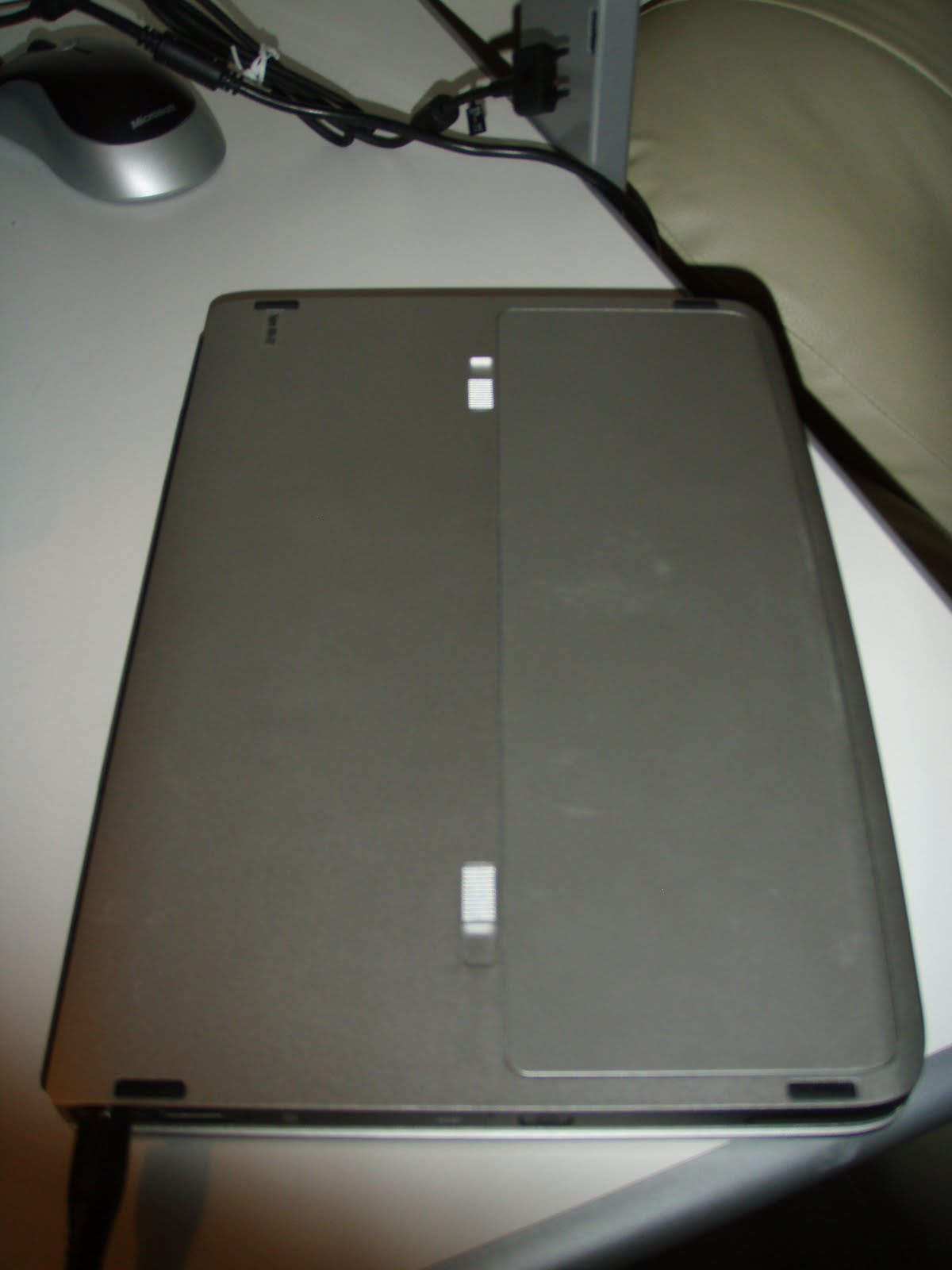 Nokia Booklet 3G - Bottom view
Saturday, 6 March 2010
Netbooks
At this moment, I'm thinking of getting a netbook. The problem is that there are so many netbooks around and it is pretty difficult to choose. I am only looking for a netbook of a particular screen size - either it is 11.6" or 12.1" big. So far, I have come up with a list and it is not easy to choose considering that there are Nvidia Ion platform which will perform much faster than a typical Intel Integrated 500 or 950 graphics card. At the moment, Nvidia is going to launch the Ion 2 graphics. This does not include an ATI x1250 graphics card on certain netbooks. Certainly, when you have netbooks fitted with other than an Intel graphics card, it will push the price of the netbook up.
I am also thinking about the newest Intel Pinetrail chipset, notably the N450 and N470 single core cpu from Intel. At the moment, I could not find a suitable 12.1" netbook with the Pinetrail cpu. It is meant to integrate the memory controller within the cpu itself and supports DDR3 memory.
Why not have a look at the list then?
(1) Acer Aspire One 751h
This is quite an old netbook coming from Acer which runs on an Intel Atom Z520 (1.20Ghz, 512KB L2 cache) cpu. It has a 11.6" screen and a well balanced keyboard. Its graphics card is powered by Intel's Integrated 500 graphic chip. Although it is fitted with only 1GB of DDR2 memory and with 160GB HDD, you could increase the memory to 2GB as it will be recognised by the pre-configured Windows XP Home Edition. You do have 3x USB 2.0 ports and a memory slot which takes many formatted cards including xD cards!
With a 6-cell battery, you would be able to achieve around 6 hours of juice. Well, it is quite alright considering that it is just a netbook with the Z series cpu. The best part is that the graphics engine is powered by an Intel GMA 500 and will run just about anything on low settings. The 751h is priced around the £250 region with play.com selling the 751h with a 3-cell battery at £199.00. Amazon UK is selling the unit with a 6-cell battery for £250. The best website which I have come across is SimplyAcer where they are selling a black 751h for a mere £245 which comes with a 6-cell battery, bluetooth and also a 3G card. Wow! That is just perfect, don't you think so?
(2) Samsung NC20
I have been observing the Samsung NC20 for quite some time now. I had the intention to get my hands on it but the price was just to expensive. At the moment, the NC20 is selling around £399 which is a little bit too expensive. However, you have to understand that the NC20 is rather different from many netbooks.
First of all, it comes with a 12.1" screen, an anti-bacteria keyboard, 1GB of memory, 160GB of HDD, a VIA U2250 cpu which supports 64 bit OS (you can install Windows 7 Pro 64 bit on it) and its graphics engine is powered by the latest Chrome. I have seen one of it before and I have to tell you that the unit is silent! The fan spins very slowly and it is easy for you to upgrade the existing 1GB DDR2 memory to 2GB. With the upgraded memory, you will be able to see a recognisable speed bump! The only thing which puts me off is the price. Other than that, I have nothing against it. Besides, I had some fun with its so called 'secret menu' in the BIOS where I have managed to tweak the BIOS, giving the machine some 'turbo boost'.
However, with the 'turbo boost', it sucked the 6-cell battery much faster. I don't really recommend overclocking though. However, I do fell that the NC20 is a good buy if you are not on a tight budget.
(3) Lenovo Ideapad 12
Originally, Lenovo's laptops are not that particularly interesting. You could see a resemblance of IBM's trademark all the way. However, Lenovo has come up with the idea of introducing their S12 series netbook. Don't be confused with the Intel GMA 950 graphics engine on the S12 as they have released an updated S12 with an Intel Atom N270 cpu with an Nvidia Ion graphics engine. This is what I was looking for. Sadly, having all the standard specifications of a netbook, apart from the screen size of 12.1", the price of the S12 with Nvidia graphics card is rated at £399. It is pretty pricey though...
(4) HP Mini 311c
Alternatively, I could choose the netbook from HP. The Mini 311c is also equipped with the same specifications of the Lenovo Ideapad S12 (Nvidia graphics) but it comes with a screen size of only 11.6". The good news is that the netbook is so much cheaper than Lenovo's S12. At £330, it is a bargain. However, the keyboard on the Mini 311c might be an issue as well as the fan noise as it spins a little bit louder than the Lenovo.
(5) Dell Mini 12
If you are thinking of getting a Mini 12 from Dell's website, don't bother. This is because they have stop selling the Mini 12. It is noisy and consumers will have difficulty in upgrading its 1GB memory to 2GB, just like the one on the present Mini 10v. You would have to take almost everything apart before you could actually access the memory slot on both the Mini 10v and the Mini 12 to upgrade the memory to 2GB. Don't get the Mini 12 even on amazon or ebay.
(6) MSI Wind U230
This is a sub £300 netbook which runs on AMD's Neo chipset. It is relatively fast and supports up to 4GB of internal memory! It has a 12.1" screen and the graphic engine is powered by ATI's HD3200. Not too bad though! The rest is similar to other netbooks but the best part is that it is only priced at £260 (with 3 cell battery) on ebay UK!
So far, I think my best bet is still on the Acer Aspire One 751h unless someone is kind enough to get one for me from China as they are selling the same machine over in China for a relatively lower price than in the UK.
I am also thinking about the newest Intel Pinetrail chipset, notably the N450 and N470 single core cpu from Intel. At the moment, I could not find a suitable 12.1" netbook with the Pinetrail cpu. It is meant to integrate the memory controller within the cpu itself and supports DDR3 memory.
Why not have a look at the list then?
(1) Acer Aspire One 751h
This is quite an old netbook coming from Acer which runs on an Intel Atom Z520 (1.20Ghz, 512KB L2 cache) cpu. It has a 11.6" screen and a well balanced keyboard. Its graphics card is powered by Intel's Integrated 500 graphic chip. Although it is fitted with only 1GB of DDR2 memory and with 160GB HDD, you could increase the memory to 2GB as it will be recognised by the pre-configured Windows XP Home Edition. You do have 3x USB 2.0 ports and a memory slot which takes many formatted cards including xD cards!
With a 6-cell battery, you would be able to achieve around 6 hours of juice. Well, it is quite alright considering that it is just a netbook with the Z series cpu. The best part is that the graphics engine is powered by an Intel GMA 500 and will run just about anything on low settings. The 751h is priced around the £250 region with play.com selling the 751h with a 3-cell battery at £199.00. Amazon UK is selling the unit with a 6-cell battery for £250. The best website which I have come across is SimplyAcer where they are selling a black 751h for a mere £245 which comes with a 6-cell battery, bluetooth and also a 3G card. Wow! That is just perfect, don't you think so?
(2) Samsung NC20
I have been observing the Samsung NC20 for quite some time now. I had the intention to get my hands on it but the price was just to expensive. At the moment, the NC20 is selling around £399 which is a little bit too expensive. However, you have to understand that the NC20 is rather different from many netbooks.
First of all, it comes with a 12.1" screen, an anti-bacteria keyboard, 1GB of memory, 160GB of HDD, a VIA U2250 cpu which supports 64 bit OS (you can install Windows 7 Pro 64 bit on it) and its graphics engine is powered by the latest Chrome. I have seen one of it before and I have to tell you that the unit is silent! The fan spins very slowly and it is easy for you to upgrade the existing 1GB DDR2 memory to 2GB. With the upgraded memory, you will be able to see a recognisable speed bump! The only thing which puts me off is the price. Other than that, I have nothing against it. Besides, I had some fun with its so called 'secret menu' in the BIOS where I have managed to tweak the BIOS, giving the machine some 'turbo boost'.
However, with the 'turbo boost', it sucked the 6-cell battery much faster. I don't really recommend overclocking though. However, I do fell that the NC20 is a good buy if you are not on a tight budget.
(3) Lenovo Ideapad 12
Originally, Lenovo's laptops are not that particularly interesting. You could see a resemblance of IBM's trademark all the way. However, Lenovo has come up with the idea of introducing their S12 series netbook. Don't be confused with the Intel GMA 950 graphics engine on the S12 as they have released an updated S12 with an Intel Atom N270 cpu with an Nvidia Ion graphics engine. This is what I was looking for. Sadly, having all the standard specifications of a netbook, apart from the screen size of 12.1", the price of the S12 with Nvidia graphics card is rated at £399. It is pretty pricey though...
(4) HP Mini 311c
Alternatively, I could choose the netbook from HP. The Mini 311c is also equipped with the same specifications of the Lenovo Ideapad S12 (Nvidia graphics) but it comes with a screen size of only 11.6". The good news is that the netbook is so much cheaper than Lenovo's S12. At £330, it is a bargain. However, the keyboard on the Mini 311c might be an issue as well as the fan noise as it spins a little bit louder than the Lenovo.
(5) Dell Mini 12
If you are thinking of getting a Mini 12 from Dell's website, don't bother. This is because they have stop selling the Mini 12. It is noisy and consumers will have difficulty in upgrading its 1GB memory to 2GB, just like the one on the present Mini 10v. You would have to take almost everything apart before you could actually access the memory slot on both the Mini 10v and the Mini 12 to upgrade the memory to 2GB. Don't get the Mini 12 even on amazon or ebay.
(6) MSI Wind U230
This is a sub £300 netbook which runs on AMD's Neo chipset. It is relatively fast and supports up to 4GB of internal memory! It has a 12.1" screen and the graphic engine is powered by ATI's HD3200. Not too bad though! The rest is similar to other netbooks but the best part is that it is only priced at £260 (with 3 cell battery) on ebay UK!
So far, I think my best bet is still on the Acer Aspire One 751h unless someone is kind enough to get one for me from China as they are selling the same machine over in China for a relatively lower price than in the UK.
Subscribe to:
Posts (Atom)